1. 概述
隨着微服務架構和雲原生應用程序開發的普及,對一個快速、輕量級應用程序服務器的需求日益增長。
在本介紹性教程中,我們將探索 Open Liberty 框架,並創建和消費一個 RESTful Web 服務。我們還將考察它提供的幾個關鍵特性。
2. Open Liberty
Open Liberty 是 一個為 Java 生態系統設計的開源框架,允許您使用 Eclipse MicroProfile 和 Jakarta EE 平台的特性開發微服務。
它是一個靈活、快速、輕量級的 Java 運行時環境,對於雲原生微服務開發來説前景廣闊。
該框架允許我們僅配置應用程序所需的功能,從而在啓動時減少內存佔用。 此外,它可以使用 Docker 和 Kubernetes 等容器技術在任何雲平台上進行部署。
它通過代碼的實時刷新支持快速開發。
3. Build and Run
首先,我們將創建一個簡單的基於 Maven 的項目,名為 open-liberty,然後將最新的 liberty-maven-plugin 插件添加到 pom.xml 中:
<plugin>
    <groupId>io.openliberty.tools</groupId>
    <artifactId>liberty-maven-plugin</artifactId>
    <version>3.3-M3</version>
</plugin>
或者,我們可以將最新的 openliberty-runtime Maven 依賴作為替代方案添加到 pom.xml 中:
<dependency>
    <groupId>io.openliberty</groupId>
    <artifactId>openliberty-runtime</artifactId>
    <version>20.0.0.1</version>
    <type>zip</type>
</dependency>
同樣,我們可以將最新的 Gradle 依賴添加到 build.gradle 中:
dependencies {
    libertyRuntime group: 'io.openliberty', name: 'openliberty-runtime', version: '20.0.0.1'
}
然後,我們可以將最新的 Maven 依賴添加到 pom.xml 中:
<properties>
    <liberty.var.default.http.port>9080</liberty.var.default.http.port>
    <liberty.var.default.https.port>9443</liberty.var.default.https.port>
</properties>
接下來,我們將創建 server.xml 文件在 src/main/liberty/config 目錄下:
<server description="Baeldung Open Liberty server">
    <featureManager>
        <feature>mpHealth-2.0</feature>
    </featureManager>
    <webApplication location="open-liberty.war" contextRoot="/" />
    <httpEndpoint host="*" httpPort="${default.http.port}"
      httpsPort="${default.https.port}" id="defaultHttpEndpoint" />
</server>
在這裏,我們添加了 mpHealth-2.0 功能來檢查應用程序的健康狀況。
就這樣,所有基本的設置都完成了。現在,讓我們運行 Maven 命令來首次編譯文件:
mvn clean package最後,讓我們使用 Liberty 提供的 Maven 命令運行服務器:
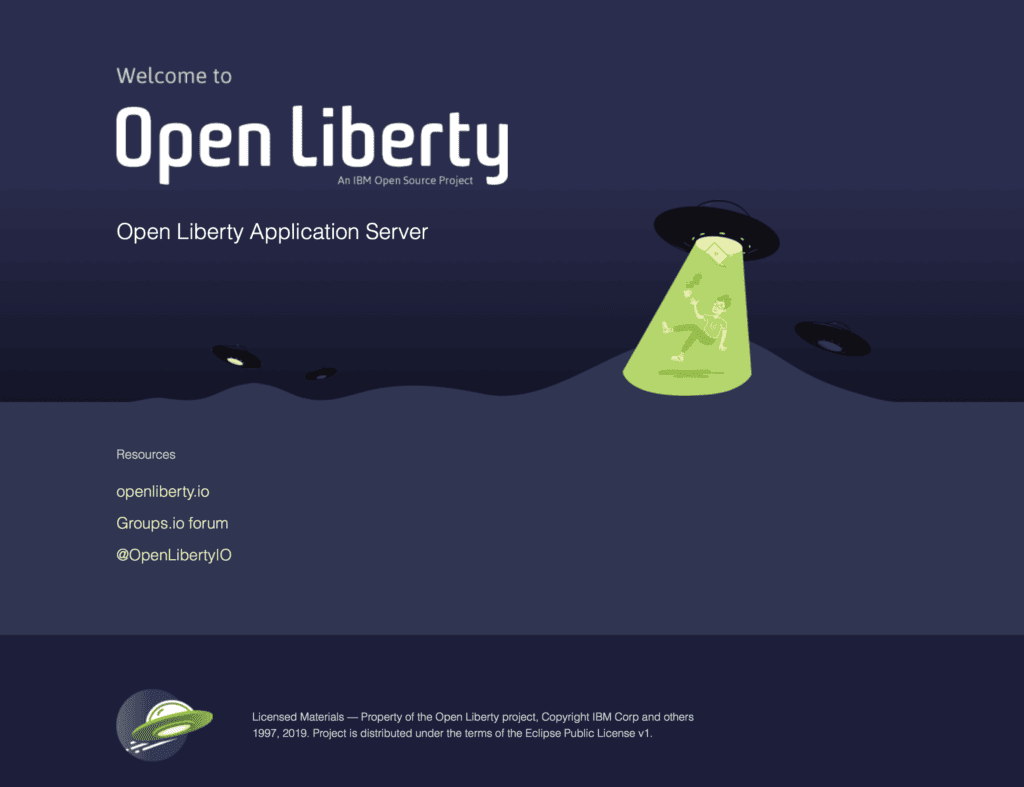
mvn liberty:dev瞧!我們的應用程序已啓動,並且可以通過 localhost:9080 訪問:
此外,我們可以在 localhost:9080/health 訪問應用程序的健康狀況:
{"checks":[],"status":"UP"}liberty:dev 命令啓動 Open Liberty 服務器的開發模式,該模式會熱加載代碼或配置所做的任何更改,而無需重新啓動服務器。
liberty:run 命令可用以使用生產模式啓動服務器。
此外,我們可以使用 liberty:start-server 和 liberty:stop-server 命令在後台啓動/停止服務器。
4. Servlet
為了在應用程序中使用 Servlet,我們將向 server.xml 添加 servlet-4.0 功能:
<featureManager>
    ...
    <feature>servlet-4.0</feature>
</featureManager>
如果使用 openliberty-runtime Maven 依賴,則添加最新 servlet-4.0 Maven 依賴:
<dependency>
    <groupId>io.openliberty.features</groupId>
    <artifactId>servlet-4.0</artifactId>
    <version>20.0.0.1</version>
    <type>esa</type>
</dependency>
但是,如果使用 liberty-maven-plugin 插件,則不需要這樣做。
然後,我們將創建 AppServlet 類,該類繼承自 HttpServlet 類:
@WebServlet(urlPatterns="/app")
public class AppServlet extends HttpServlet {
    private static final long serialVersionUID = 1L;

    @Override
    protected void doGet(HttpServletRequest request, HttpServletResponse response)
      throws ServletException, IOException {
        String htmlOutput = "<html><h2>Hello! Welcome to Open Liberty</h2></html>";
        response.getWriter().append(htmlOutput);
    }
}
在這裏,我們添加了 @WebServlet 註解,該註解將使 AppServlet 可在指定 URL 模式下訪問。
讓我們通過 localhost:9080/app 訪問 Servlet:

5. 創建一個 RESTful Web 服務
首先,讓我們將 jaxrs-2.1 特性添加到 server.xml:
<featureManager>
    ...
    <feature>jaxrs-2.1</feature>
</featureManager>
然後,我們將創建 ApiApplication 類,該類為 RESTful Web 服務提供端點:
@ApplicationPath("/api")
public class ApiApplication extends Application {
}
在這裏,我們使用了 @ApplicationPath 註解來定義 URL 路徑。
接下來,讓我們創建一個 Person 類,該類用於提供模型:
public class Person {
    private String username;
    private String email;

    // getters and setters
    // constructors
}
接下來,我們將創建一個 PersonResource 類,用於定義 HTTP 映射:
@RequestScoped
@Path("persons")
public class PersonResource {
    @GET
    @Produces(MediaType.APPLICATION_JSON)
    public List<Person> getAllPersons() {
        return Arrays.asList(new Person(1, "normanlewis", "[email protected]"));
    }
}
在這裏,我們添加了 getAllPersons 方法來定義 GET 映射到 /api/persons 端點。因此,我們已經準備好了一個 RESTful Web 服務,並且 liberty:dev 命令將在飛行中加載更改。
讓我們使用 curl GET 請求訪問 /api/persons RESTful Web 服務:
curl --request GET --url http://localhost:9080/api/persons然後,我們會收到 JSON 數組作為響應:
[{"id":1, "username":"normanlewis", "email":"[email protected]"}]同樣,我們可以通過創建 addPerson 方法添加 POST 映射:
@POST
@Consumes(MediaType.APPLICATION_JSON)
public Response addPerson(Person person) {
    String respMessage = "Person " + person.getUsername() + " received successfully.";
    return Response.status(Response.Status.CREATED).entity(respMessage).build();
}
現在,我們可以使用 curl POST 請求調用端點:
curl --request POST --url http://localhost:9080/api/persons \
  --header 'content-type: application/json' \
  --data '{"username": "normanlewis", "email": "[email protected]"}'
響應將如下所示:
Person normanlewis received successfully.
6. Persistence
6.1. Configuration
Let’s add persistence support to our RESTful web services.
First, we’ll add the derby Maven dependency to the <dependency>
<groupId>org.apache.derby</groupId>
<artifactId>derby</artifactId>
<version>10.14.2.0</version>
</dependency>:
<featureManager>
    ...
    <feature>jpa-2.2</feature>
    <feature>jsonp-1.1</feature>
    <feature>cdi-2.0</feature>
</featureManager>
Then, we’ll add a few features like jpa-2.2, jsonp-1.1, and cdi-2.0 to the server.xml:
<featureManager>
    ...
    <feature>jpa-2.2</feature>
    <feature>jsonp-1.1</feature>
    <feature>cdi-2.0</feature>
</featureManager>
Here, the jsonp-1.1 feature provides the Java API for JSON Processing, and the cdi-2.0 feature handles the scopes and dependency injection.
Next, we’ll create the persistence.xml in the src/main/resources/META-INF directory:
<?xml version="1.0" encoding="UTF-8"?>
<persistence version="2.2"
    xmlns="http://xmlns.jcp.org/xml/ns/persistence"
    xmlns:xsi="http://www.w3.org/2001/XMLSchema-instance"
    xsi:schemaLocation="http://xmlns.jcp.org/xml/ns/persistence
                        http://xmlns.jcp.org/xml/ns/persistence/persistence_2_2.xsd">
    <persistence-unit name="jpa-unit" transaction-type="JTA">
        <jta-data-source>jdbc/jpadatasource</jta-data-source>
        <properties>
            <property name="eclipselink.ddl-generation" value="create-tables"/>
            <property name="eclipselink.ddl-generation.output-mode" value="both" />
        </properties>
    </persistence-unit>
</persistence>
Here, we’ve used the EclipseLink DDL generation to create our database schema automatically. We can also use other alternatives like Hibernate.
Then, let’s add the dataSource configuration to the server.xml:
<library id="derbyJDBCLib">
    <fileset dir="${shared.resource.dir}" includes="derby*.jar"/>
</library>
<dataSource id="jpadatasource" jndiName="jdbc/jpadatasource">
    <jdbcDriver libraryRef="derbyJDBCLib" />
    <properties.derby.embedded databaseName="libertyDB" createDatabase="create" />
</dataSource>
Note, the jndiName has the same reference to the jta-data-source
6.2. Entity and DAO
Then, we’ll add the @Entity annotation and an identifier to our Person class:
@Entity
public class Person {
    @GeneratedValue(strategy = GenerationType.AUTO)
    @Id
    private int id;

    private String username;
    private String email;

    // getters and setters
}
Next, let’s create the PersonDao class that will interact with the database using the EntityManager instance:
@RequestScoped
public class PersonDao {
    @PersistenceContext(name = "jpa-unit")
    private EntityManager em;

    public Person createPerson(Person person) {
        em.persist(person);
        return person;
    }

    public Person readPerson(int personId) {
        return em.find(Person.class, personId);
    }
}
Note that the @PersistenceContext defines the same reference to the persistence-unit tag in the persistence.xml.
Now, we’ll inject the PersonDao dependency in the PersonResource class:
@RequestScoped
@Path("person")
public class PersonResource {
    @Inject
    private PersonDao personDao;

    // ...
}
Here, we’ve used the @Inject annotation provided by the CDI feature.
Last, we’ll update the addPerson method of the PersonResource class to persist the Person object:
@POST
@Consumes(MediaType.APPLICATION_JSON)
@Transactional
public Response addPerson(Person person) {
    personDao.createPerson(person);
    String respMessage = "Person #" + person.getId() + " created successfully.";
    return Response.status(Response.Status.CREATED).entity(respMessage).build();
}
Here, the addPerson method is annotated with the @Transactional annotation to control transactions on CDI managed beans.
Let’s invoke the endpoint with the already discussed curl POST request:
curl --request POST --url http://localhost:9080/api/persons \
  --header 'content-type: application/json' \
  --data '{"username": "normanlewis", "email": "[email protected]"}'
Then, we’ll receive a text response:
Person #1 created successfully.Similarly, let’s add the getPerson method with GET mapping to fetch a Person object:
@GET
@Path("{id}")
@Produces(MediaType.APPLICATION_JSON)
@Transactional
public Person getPerson(@PathParam("id") int id) {
    Person person = personDao.readPerson(id);
    return person;
}
Let’s invoke the endpoint using a curl GET request:
curl --request GET --url http://localhost:9080/api/persons/1Then, we’ll get the Person object as JSON response:
{"email":"[email protected]","id":1,"username":"normanlewis"}7. 消費 RESTful Web 服務,使用 JSON-B
首先,我們將啓用直接序列化和反序列化模型的功能,通過向 jsonb-1.0 特性添加到 server.xml:
<featureManager>
    ...
    <feature>jsonb-1.0</feature>
</featureManager>
然後,讓我們創建一個 RestConsumer 類,包含 consumeWithJsonb 方法:
public class RestConsumer {
    public static String consumeWithJsonb(String targetUrl) {
        Client client = ClientBuilder.newClient();
        Response response = client.target(targetUrl).request().get();
        String result = response.readEntity(String.class);
        response.close();
        client.close();
        return result;
    }
}
在此,我們使用了 ClientBuilder 類來請求 RESTful Web 服務端點。
最後,讓我們編寫一個單元測試來消費 /api/person RESTful Web 服務,並驗證響應:
@Test
public void whenConsumeWithJsonb_thenGetPerson() {
    String url = "http://localhost:9080/api/persons/1";
    String result = RestConsumer.consumeWithJsonb(url);

    Person person = JsonbBuilder.create().fromJson(result, Person.class);
    assertEquals(1, person.getId());
    assertEquals("normanlewis", person.getUsername());
    assertEquals("[email protected]", person.getEmail());
}
在此,我們使用了 JsonbBuilder 類來解析 String 響應為 Person 對象。
此外,我們可以使用 MicroProfile Rest Client 通過向 mpRestClient-1.3 特性添加來消費 RESTful Web 服務。它提供了 RestClientBuilder 接口來請求 RESTful Web 服務端點。
8. 結論
在本文中,我們探討了 Open Liberty 框架——一個快速且輕量級的 Java 運行時環境,它提供了 Eclipse MicroProfile 和 Jakarta EE 平台的所有功能。
首先,我們使用 JAX-RS 創建了一個 RESTful Web 服務。然後,我們啓用了持久化功能,例如 JPA 和 CDI。
最後,我們使用 JSON-B 消費了 RESTful Web 服務。

