

openshift目前已經推出了4.2的版本,準備開始學習一下openshift,參考了一本《開源容器雲openshift》,但是安裝過程實在是一波三折,特此記錄一下。
1. 準備VMware虛擬機RHEL7.4的環境
每次啓動虛擬機都要手動開啓網絡,不知道怎麼設置成開機自動連接網絡,使用NAT模式能上網就行
2. 設置鏡像源
baseurl=https://mirrors.tuna.tsinghua.edu.cn/centos/7/os/$basearch/
yum clean all
yum makecache
yum update
設置鏡像源的時候我用的是清華的鏡像源,其中有個$releasever變量可能會找不到,手動改為7即可yum三連
3.下載openshift
cd /opt/
wget https://github.com/openshift/origin/releases/download/v3.11.0/openshift-origin-server-v3.11.0-0cbc58b-linux-64bit.tar.gz
openshift的server源碼包到/opt目錄下,在github上當前穩定版本是3.1.1,
4. 解壓安裝
tar zvf openshift-origin-server-v3.11.0-0cbc58b-linux-64bit.tar.gz
ln -s openshift-origin-server-v3.11.0-0cbc58b-linux-64bit.tar.gz /opt/openshift
設置一個軟連接方便使用,下次直接用/opt/opeshif目錄就行了,然後將這個目錄添加到環境變量中,修改/etc/profile,這樣就能用openshift命令了
PATH=$PATH:/opt/openshift5.啓動openshift
這裏遇到了不少問題
第一次啓動失敗
不能用openshift start啓動會報錯,這個命令已經廢棄了,需要用oc cluster up啓動
Command "start" is deprecated, This command will be replaced by the hypershift and hyperkube binaries for starting individual components.
Start components of OpenShift

This command launches components of OpenShift.
第二次啓動失敗
使用oc cluster up啓動kube-apiserver失敗
I1119 23:43:45.311335   18475 run_self_hosted.go:181] Waiting for the kube-apiserver to be ready ...
E1119 23:48:45.514801   18475 run_self_hosted.go:571] API server error: Get https://127.0.0.1:8443/healthz?timeout=32s: dial tcp 127.0.0.1:8443: connect: connection refused ()
Error: timed out waiting for the condition
查了一圈發現需要關掉防火牆
firewall-cmd --state
systemctl stop firewalld.service
systemctl disable firewalld.service
第三次啓動失敗
再啓動又失敗了,這次直接停在了kube-apiserver那步,直到超時退出
又查了下journalctl,需要設置docker啓動參數
修改/etc/sysconfig/docker,增加insercure-registry和registry-mirrors參數,設置完重啓docker
--insecure-registry 172.30.0.0/16 --registry-mirror=https://docker.mirrors.ustc.edu.cn第四次啓動失敗
再啓動還是失敗
E1120 00:25:35.411914   27357 run_self_hosted.go:571] API server error: Get https://127.0.0.1:8443/healthz?timeout=32s: dial tcp 127.0.0.1:8443: connect: connection refused ()
Error: timed out waiting for the condition
原因可能是我啓動時用的是oc cluster up --skip-registry-check=true
每次重試的時候需要先執行oc cluster down
第五次啓動失敗
再啓動試試
Failed to install "openshift-image-registry": could not run "openshift-image-registry": rc=1這次沒查出什麼原因,可能是網絡問題吧
第六次啓動失敗
再啓動試試
panic: Get https://127.0.0.1:8443/apis/apiregistration.k8s.io/v1beta1/apiservices?watch=true: dial tcp 127.0.0.1:8443: connect: connection refused

goroutine 1363 [running]:
github.com/openshift/origin/pkg/oc/clusterup.watchAPIServices(0x30bb640, 0xc4200d2660)
        /go/src/github.com/openshift/origin/_output/local/go/src/github.com/openshift/origin/pkg/oc/clusterup/run_self_hosted.go:591 +0x5f6
這次還是報8443連不同,我修改了一下DNS,在/etc/resolve.conf中添加了8.8.8.8
第七次啓動失敗
再試一遍(崩潰)
Getting a Docker client ...
Checking if image openshift/origin-control-plane:v3.11 is available ...
Checking type of volume mount ...
Determining server IP ...
Checking if OpenShift is already running ...
Checking for supported Docker version (=>1.22) ...
Checking if insecured registry is configured properly in Docker ...
Checking if required ports are available ...
Checking if OpenShift client is configured properly ...
Checking if image openshift/origin-control-plane:v3.11 is available ...
Starting OpenShift using openshift/origin-control-plane:v3.11 ...
I1120 01:37:23.100980   33308 flags.go:30] Running "create-kubelet-flags"
I1120 01:37:24.150876   33308 run_kubelet.go:49] Running "start-kubelet"
I1120 01:37:24.676012   33308 run_self_hosted.go:181] Waiting for the kube-apiserver to be ready ...
I1120 01:41:01.461604   33308 interface.go:26] Installing "kube-proxy" ...
I1120 01:41:01.461825   33308 interface.go:26] Installing "kube-dns" ...
I1120 01:41:01.461831   33308 interface.go:26] Installing "openshift-service-cert-signer-operator" ...
I1120 01:41:01.461836   33308 interface.go:26] Installing "openshift-apiserver" ...
I1120 01:41:01.560613   33308 apply_template.go:81] Installing "kube-proxy"
I1120 01:41:01.586312   33308 apply_template.go:81] Installing "kube-dns"
I1120 01:41:01.586523   33308 apply_template.go:81] Installing "openshift-service-cert-signer-operator"
I1120 01:41:01.589610   33308 apply_template.go:81] Installing "openshift-apiserver"
I1120 01:41:16.765741   33308 interface.go:41] Finished installing "kube-proxy" "kube-dns" "openshift-service-cert-signer-operator" "openshift-apiserver"
I1120 01:42:43.411046   33308 run_self_hosted.go:242] openshift-apiserver available
I1120 01:42:43.973996   33308 interface.go:26] Installing "openshift-controller-manager" ...
I1120 01:42:43.974045   33308 apply_template.go:81] Installing "openshift-controller-manager"
I1120 01:42:55.961497   33308 interface.go:41] Finished installing "openshift-controller-manager"
Adding default OAuthClient redirect URIs ...
Adding centos-imagestreams ...
Adding registry ...
Adding router ...
Adding web-console ...
Adding sample-templates ...
Adding persistent-volumes ...
I1120 01:42:56.386134   33308 interface.go:26] Installing "centos-imagestreams" ...
I1120 01:42:56.386144   33308 interface.go:26] Installing "openshift-image-registry" ...
I1120 01:42:56.386150   33308 interface.go:26] Installing "openshift-router" ...
I1120 01:42:56.386156   33308 interface.go:26] Installing "openshift-web-console-operator" ...
I1120 01:42:56.386162   33308 interface.go:26] Installing "sample-templates" ...
I1120 01:42:56.386167   33308 interface.go:26] Installing "persistent-volumes" ...
I1120 01:42:56.386688   33308 apply_list.go:67] Installing "centos-imagestreams"
I1120 01:42:56.387614   33308 apply_template.go:81] Installing "openshift-web-console-operator"
I1120 01:42:56.387829   33308 interface.go:26] Installing "sample-templates/django quickstart" ...
I1120 01:42:56.387837   33308 interface.go:26] Installing "sample-templates/nodejs quickstart" ...
I1120 01:42:56.387842   33308 interface.go:26] Installing "sample-templates/jenkins pipeline ephemeral" ...
I1120 01:42:56.387847   33308 interface.go:26] Installing "sample-templates/sample pipeline" ...
I1120 01:42:56.387852   33308 interface.go:26] Installing "sample-templates/mongodb" ...
I1120 01:42:56.387856   33308 interface.go:26] Installing "sample-templates/mariadb" ...
I1120 01:42:56.387863   33308 interface.go:26] Installing "sample-templates/postgresql" ...
I1120 01:42:56.387867   33308 interface.go:26] Installing "sample-templates/dancer quickstart" ...
I1120 01:42:56.387873   33308 interface.go:26] Installing "sample-templates/mysql" ...
I1120 01:42:56.387877   33308 interface.go:26] Installing "sample-templates/cakephp quickstart" ...
I1120 01:42:56.387882   33308 interface.go:26] Installing "sample-templates/rails quickstart" ...
I1120 01:42:56.387914   33308 apply_list.go:67] Installing "sample-templates/rails quickstart"
I1120 01:42:56.388076   33308 apply_list.go:67] Installing "sample-templates/django quickstart"
I1120 01:42:56.388168   33308 apply_list.go:67] Installing "sample-templates/nodejs quickstart"
I1120 01:42:56.388248   33308 apply_list.go:67] Installing "sample-templates/jenkins pipeline ephemeral"
I1120 01:42:56.388341   33308 apply_list.go:67] Installing "sample-templates/sample pipeline"
I1120 01:42:56.388438   33308 apply_list.go:67] Installing "sample-templates/mongodb"
I1120 01:42:56.388609   33308 apply_list.go:67] Installing "sample-templates/mariadb"
I1120 01:42:56.388723   33308 apply_list.go:67] Installing "sample-templates/postgresql"
I1120 01:42:56.388799   33308 apply_list.go:67] Installing "sample-templates/dancer quickstart"
I1120 01:42:56.388909   33308 apply_list.go:67] Installing "sample-templates/mysql"
I1120 01:42:56.388981   33308 apply_list.go:67] Installing "sample-templates/cakephp quickstart"
I1120 01:43:58.037546   33308 interface.go:41] Finished installing "sample-templates/django quickstart" "sample-templates/nodejs quickstart" "sample-templates/jenkins pipeline ephemeral" "sample-templates/sample pipeline" "sample-templates/mongodb" "sample-templates/mariadb" "sample-templates/postgresql" "sample-templates/dancer quickstart" "sample-templates/mysql" "sample-templates/cakephp quickstart" "sample-templates/rails quickstart"
I1120 01:44:01.240798   33308 interface.go:41] Finished installing "centos-imagestreams" "openshift-image-registry" "openshift-router" "openshift-web-console-operator" "sample-templates" "persistent-volumes"
Login to server ...
Error: Internal error occurred: unexpected response: 400
這次啓動應該沒什麼大問題,最後遇到個400錯誤估計是內部參數錯誤,這時候打開瀏覽器https://127.0.0.1:8443終於有界面了
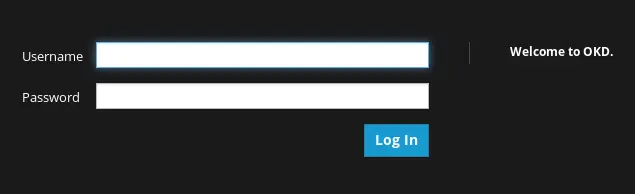
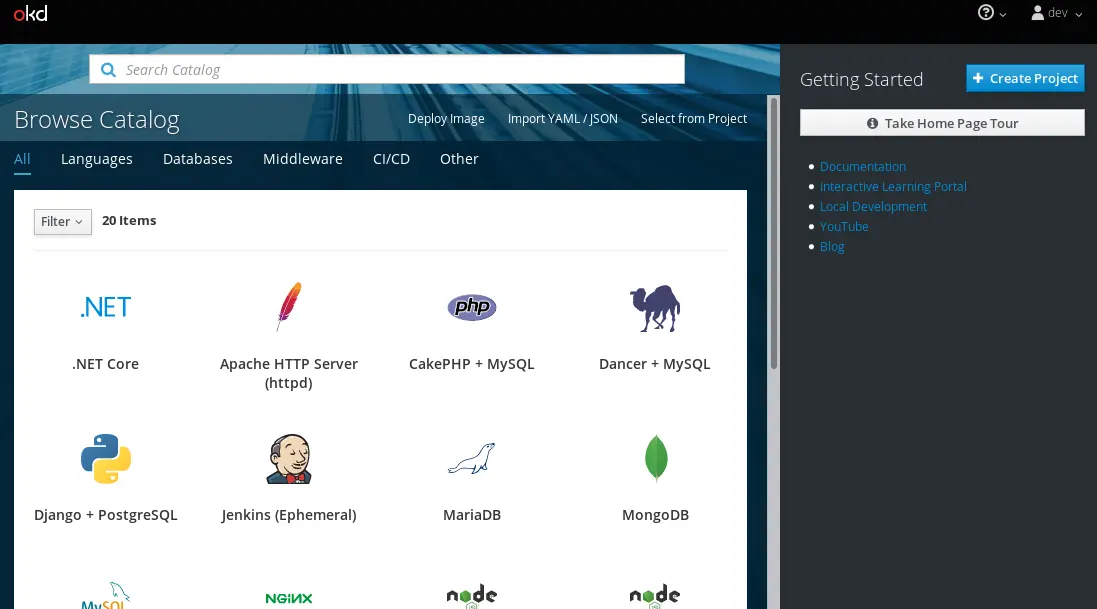
嘗試用默認賬户dev/dev登錄一下,應該算是裝好了吧
https://docs.okd.io/latest/mi...
https://yq.aliyun.com/article...
https://blog.csdn.net/wiborgi...
