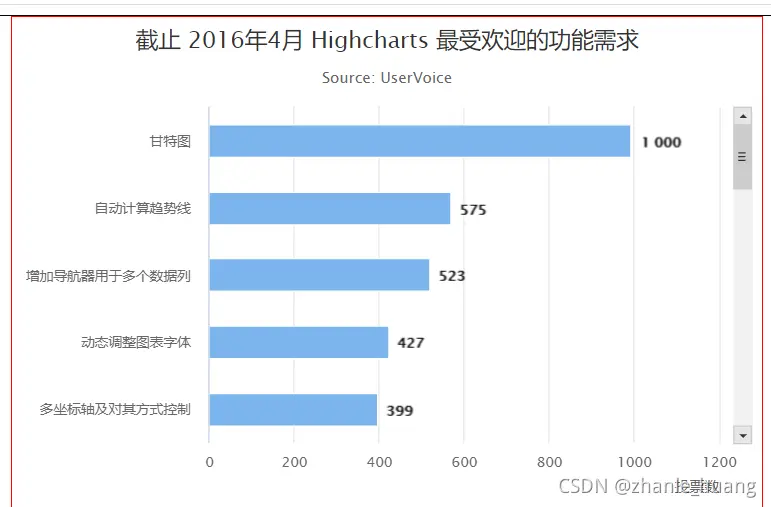

highchart滾動條使用--highcharts/highstock
使用目的
1. 需要固定圖例和y軸,但是x軸需要滾動的情況引入
1. 不能像普通表格一樣引入highcharts,只需要引入highcharts/highstock
2. 使用import HighStock from 'highcharts/highstock' 替換 import HighStock from 'highcharts'
使用
1. 使用方式上用HighStock.stockChart代替highcharts.chart效果
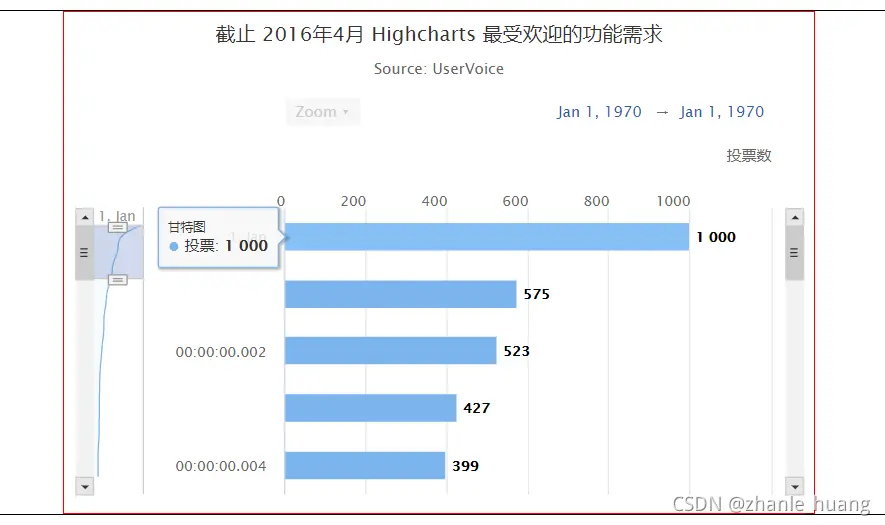
完整代碼
ceshi.vue文件
<template>
    <div class="vue3">
        <div id="container" style="height: 400px; min-width: 320px; max-width: 600px; margin: 0 auto"></div>
    </div>
</template>

<script>
import HighStock from 'highcharts/highstock'
export default {
    data() {
        return {}
    },
    mounted() {
        var chart = HighStock.stockChart('container', {
               chart: {
                   type: 'bar',
                   marginLeft: 150
               },
               title: {
                   text: '截止 2016年4月 Highcharts 最受歡迎的功能需求'
               },
               subtitle: {
                   text: 'Source: <a href="https://highcharts.uservoice.com/forums/55896-highcharts-javascript-api">UserVoice</a>'
               },
               xAxis: {
                   type: 'category',
                   title: {
                       text: null
                   },
                   min: 0,
                   max: 4,
                   scrollbar: {
                       enabled: true
                   },
                   tickLength: 0
               },
               yAxis: {
                   min: 0,
                   max: 1200,
                   title: {
                       text: '投票數',
                       align: 'high'
                   }
               },
               plotOptions: {
                   bar: {
                       dataLabels: {
                           enabled: true
                       }
                   }
               },
               legend: {
                   enabled: false
               },
               credits: {
                   enabled: false
               },
               series: [{
                   name: '投票',
                   data: [
                       ["甘特圖", 1000],
                       ["自動計算趨勢線", 575],
                       ["增加導航器用於多個數據列", 523],
                       ["動態調整圖表字體", 427],
                       ["多座標軸及對其方式控制", 399],
                       ["不規則時間的堆疊圖", 309],
                       ["圖表高度根據圖例高度自適應", 278],
                       ["圖表數據導出為 Excel 文件", 239],
                       ["圖例切換", 235],
                       ["韋恩圖", 203],
                       ["範圍選擇器可調整位置", 182],
                       ["可拖動的圖例", 157],
                       ["桑基圖", 149],
                       ["Highstock Y軸滾動條", 144],
                       ["x軸分組", 143],
                       ["ReactJS 插件", 137],
                       ["3D 曲面圖", 134],
                       ["在股票圖中數據分析線", 118],
                       ["數據庫功能模塊", 118],
                       ["可拖動的點", 117]
                   ]
               }]
           });
    }
}
</script>

<style>
    #container {
        width: 500px;
    }
</style>
注:如果需要去掉左側的縮放控制條,則可以採用只有控制條的方式,用max來控制
改成引入
import Highcharts from "highcharts";
import highstock from 'highcharts/modules/stock'
highstock(Highcharts);
使用new Highcharts.Chart('container', {})去創建曲線即可。