官網鏈接:https://sapui5.hana.ondemand....
一個例子:
"routing": {
      "config": {
        "routerClass": "sap.m.routing.Router",
        "viewType": "XML",
        "viewPath": "kyma.sample.app.view",
        "controlId": "app",
        "controlAggregation": "pages",
        "async": true
      },
      "routes": [
        {
          "pattern": "",
          "name": "orders",
          "target": ["orders"]
        }
      ],
      "targets": {
        "orders": {
          "viewName": "Orders",
          "viewId": "orders",
          "viewLevel": 1,
          "title": "{i18n>title}"
        }
      }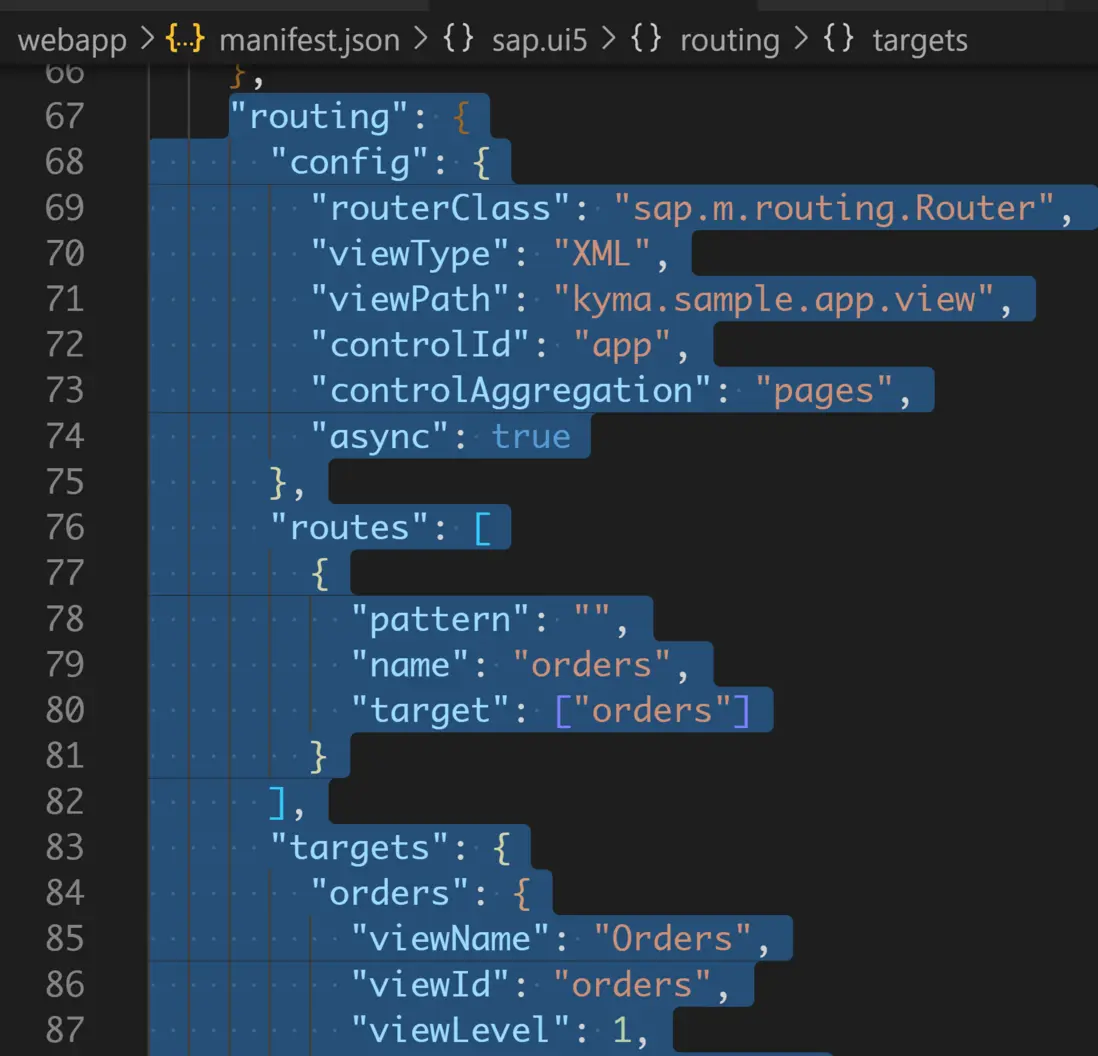
在 manifest.json 文件的 sap.ui5 區域,添加了三個子區域:
(1) config
(2) routes
(3) target
config
This section contains the global router configuration and default values that apply for all routes and targets.
包含了全局路由器信息和適應於所有路由路徑和目標的默認值。
We define the router class that we want to use and where our views are located in the app.
定義了路由器實現類以及我們的視圖在應用中的具體位置。
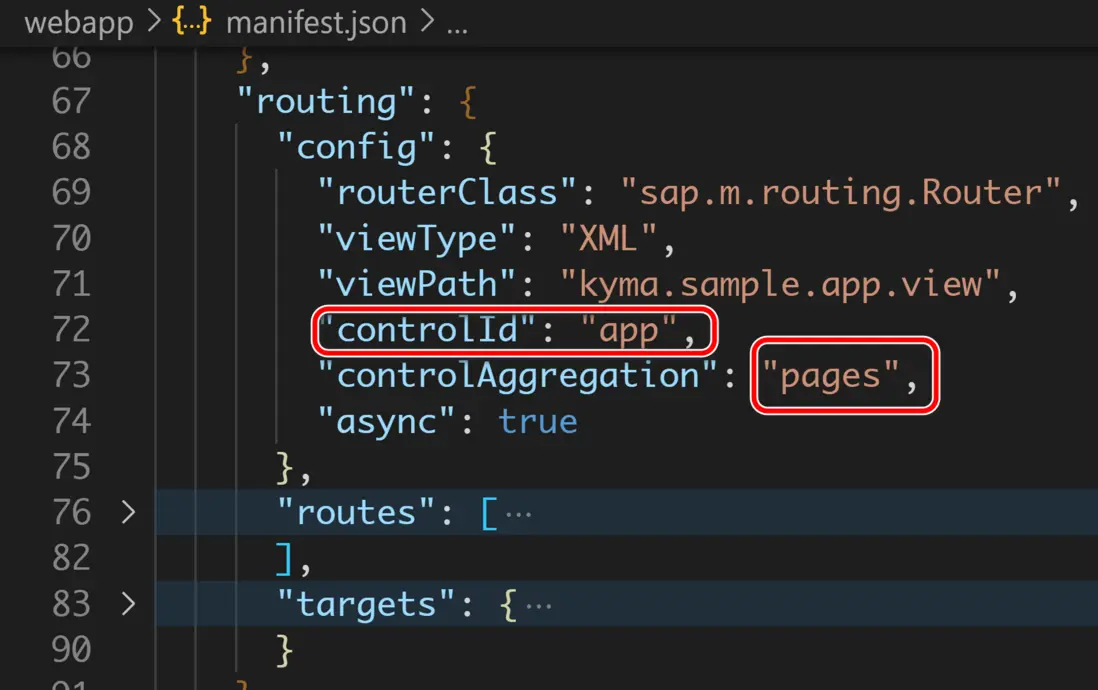
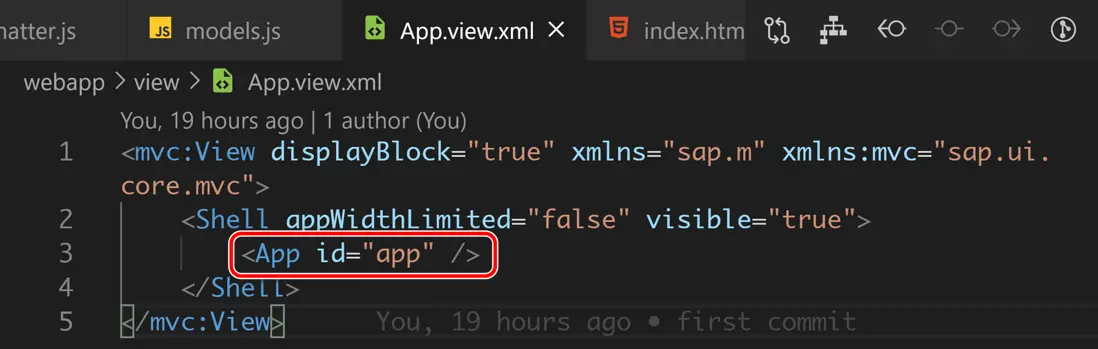
To load and display views automatically, we also specify which control is used to display the pages and what aggregation should be filled when a new page is displayed.
為了讓視圖能夠顯示出來,需要定義哪個控件用於顯示頁面,以及頁面通過何種 aggregation,填充到該控件去。
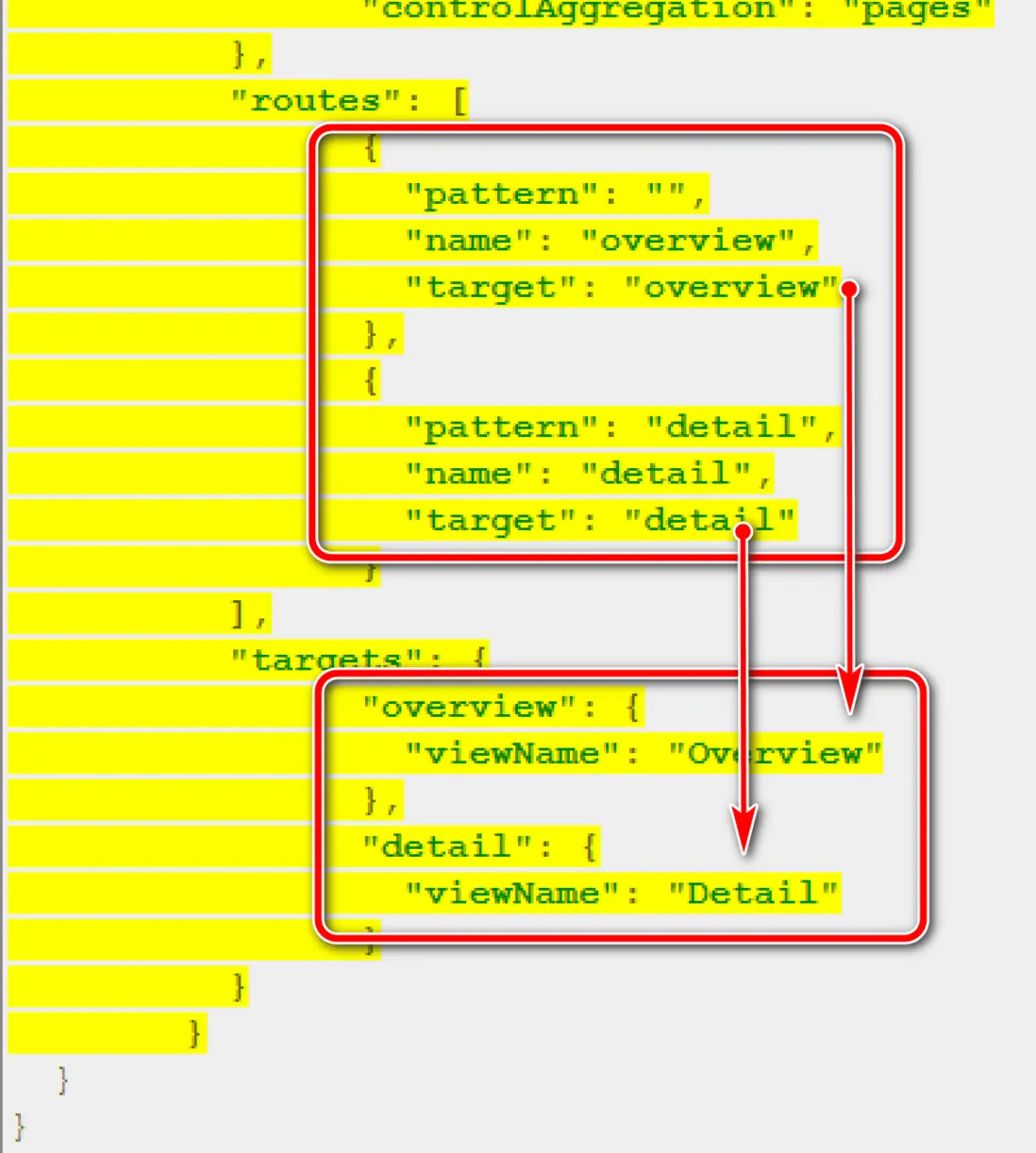
routes
Each route defines a name, a pattern, and one or more targets to navigate to when the route has been hit.
每條路由信息定義了一個名稱,一個格式,以及一個路由目的視圖,當該路由觸發時,目的視圖會顯示。
The pattern is basically the URL part that matches to the route, we define two routes for our app.
所謂 pattern,即待匹配的 URL 片段。
例子:
更多Jerry的原創文章,盡在:"汪子熙":