

關於pyspider的安裝前往查看前序文章《踩坑記:終於懷着忐忑的心情完成了對 python 爬蟲擴展庫 pyspider 的安裝》
1、啓動pyspider服務
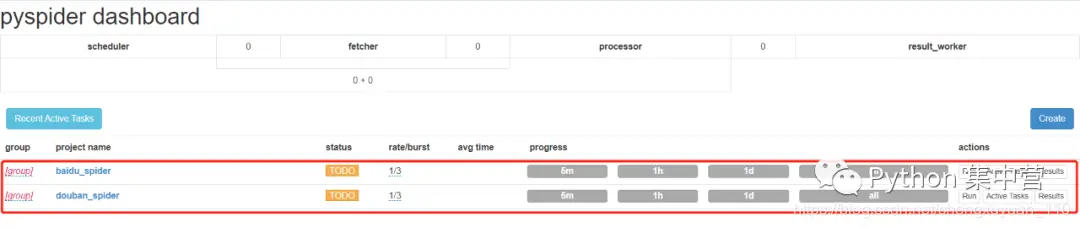
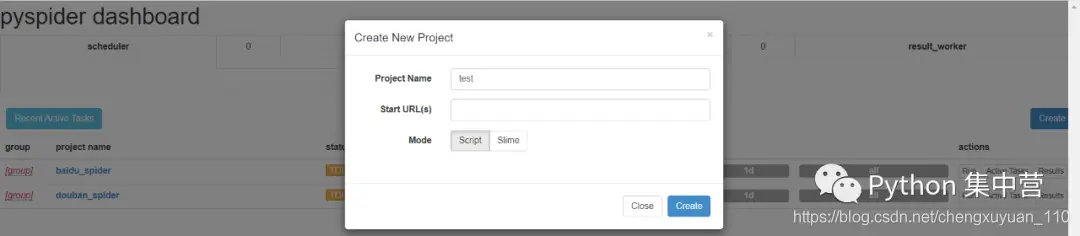
1pyspider all2、創建pyspider項目
3、項目區域説明
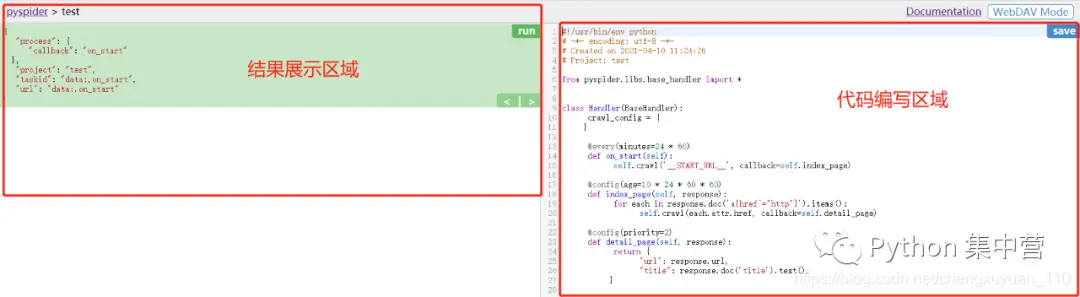
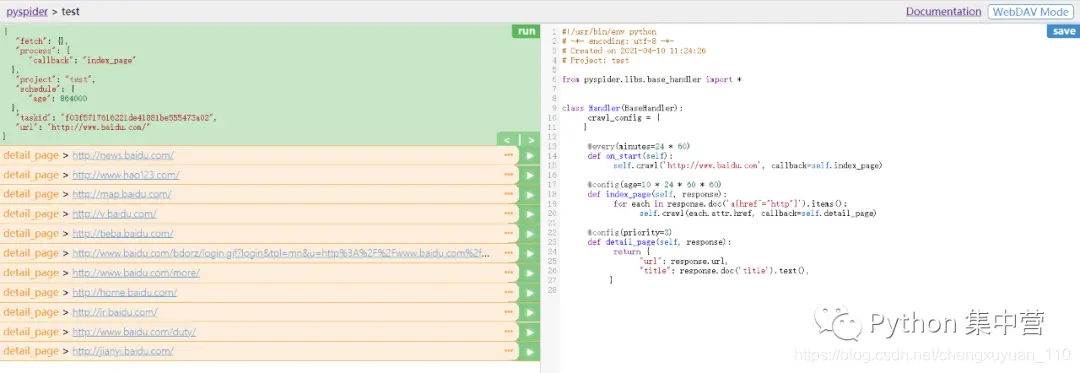
4、從百度首頁開始爬取
填寫百度首頁地址點擊run開始爬取,點擊爬取到的鏈接執行下一步
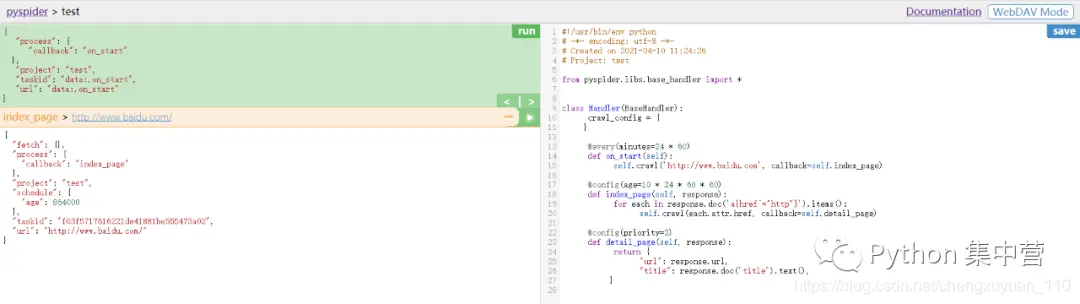
任意點擊爬取到的鏈接進入下一步爬取
返回所進入的詳情頁內容
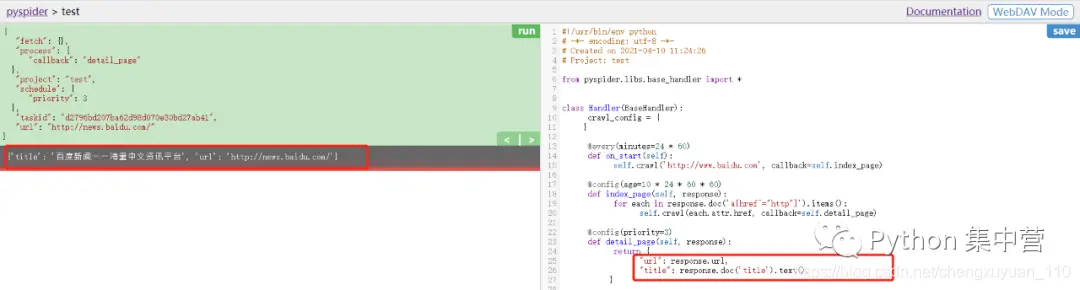
5、代碼編輯區函數
 1#!/usr/bin/env python
 2# -*- encoding: utf-8 -*-
 3# Created on 2021-04-10 11:24:26
 4# Project: test
 5
 6from pyspider.libs.base_handler import *
 7
 8# 處理類
 9class Handler(BaseHandler):
10    # 爬蟲相關參數配置,全局生效(字典類型)
11    crawl_config = {
12        'url':'http://www.baidu.com'
13    }
14
15    # 表示每天一次,minutes單位為分鐘
16    @every(minutes=24 * 60)
17    # 程序入口
18    def on_start(self):
19        # 設置爬蟲地址
20        self.crawl('http://www.baidu.com', callback=self.index_page)
21
22    # 表示10天內不會再次爬取,age單位為秒
23    @config(age=10 * 24 * 60 * 60)
24    # 回調函數、數據解析
25    def index_page(self, response):
26        # response.doc() 返回的是pyquery對象,因此採用pyquery對象解析
27        for each in response.doc('a[href^="http"]').items():
28            # 遍歷並回調爬取詳情頁
29            self.crawl(each.attr.href, callback=self.detail_page)
30
31    # 任務優先級設置
32    @config(priority=2)
33    # 回調函數、返回結果
34    def detail_page(self, response):
35        # 返回詳情頁
36        return {
37            "url": response.url,
38            "title": response.doc('title').text(),
39        }
更多精彩前往微信公眾號【Python 集中營】,專注於 python 技術棧,資料獲取、交流社區、乾貨分享,期待你的加入~