


想閲讀更多優質文章請猛戳GitHub博客,一年百來篇優質文章等着你!
這是 Web 性能優化的第四篇,之前的可以在下面點擊查看:
- Web 性能優化: 使用 Webpack 分離數據的正確方法
- Web 性能優化: 圖片優化讓網站大小減少 62%
- Web 性能優化: 緩存 React 事件來提高性能
React.js 核心團隊一直在努力使 React 變得更快,就像燃燒的速度一樣。為了讓開發者能夠加速他們的 React 應用程序,為此增加了很多工具:
- Suspense 和 Lazy Load (React.lazy(…), <Suspense/>)
- 純組件
- shouldComponentUpdate(…){…} 生命週期鈎子
在這篇文章中,我們將介紹 React v16.6 中新增的另一個優化技巧,以幫助加速我們的函數組件:React.memo。
提示:使用 Bit 共享和安裝 React 組件。使用你的組件來構建新的應用程序,並與你的團隊共享它們以更快地構建。
浪費的渲染
組件構成 React 中的一個視圖單元。這些組件具有狀態,此狀態是組件的本地狀態,當狀態值因用户操作而更改時,組件知道何時重新渲染。現在,React 組件可以重新渲染 5、10 到 90次。有時這些重新渲染可能是必要的,但大多數情況下不是必需的,所以這些不必要的這將導致我們的應用程序嚴重減速,降低了性能。
來看看以下這個組件:
import React from 'react'

class TestC extends React.Component {
  constructor(props) {
    super(props);
    this.state = {
      count: 0
    }
  }

  componentWillUpdate(nextProps, nextState) {
    console.log('componentWillUpdate')
  }

  componentDidUpdate(prevProps, prevState) {
    console.log('componentDidUpdate')
  }

  render () {
    return (
      <div>
        {this.state.count}
        <button onClick={ () => this.setState({count: 1})}>Click Me</button>
      </div>
    )
  }
}

export default TestC;
該組件的初始狀態為 {count: 0} 。當我們單擊 click Me 按鈕時,它將 count 狀態設置為 1。屏幕的 0 就變成了 1。.當我們再次單擊該按鈕時出現了問題,組件不應該重新呈現,因為狀態沒有更改。count 的上個值為1,新值也 1,因此不需要更新 DOM。
這裏添加了兩個生命週期方法來檢測當我們兩次設置相同的狀態時組件 TestC 是否會更新。我添加了componentWillUpdate,當一個組件由於狀態變化而確定要更新/重新渲染時,React 會調用這個方法;還添加了componentdidUpdate,當一個組件成功重新渲染時,React 會調用這個方法。
在瀏覽器中運行我們的程序,並多次單擊 Click Me 按鈕,會看到在控制打印很多次信息:
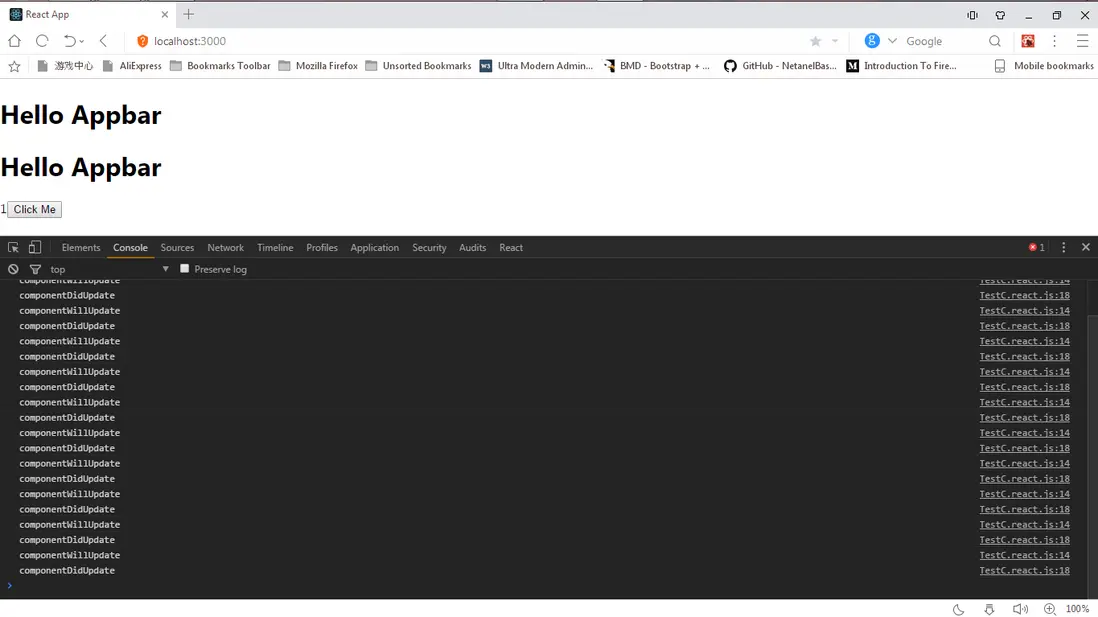
在我們的控制枱中有 “componentWillUpdate” 和 “componentWillUpdate” 日誌,這表明即使狀態相同,我們的組件也在重新呈現,這稱為浪費渲染。
純組件/shouldComponentUpdate
為了避免 React 組件中的渲染浪費,我們將掛鈎到 shouldComponentUpdate 生命週期方法。
shouldComponentUpdate 方法是一個生命週期方法,當 React 渲染 一個組件時,這個方法不會被調用 ,並根據返回值來判斷是否要繼續渲染組件。
假如有以下的 shouldComponentUpdadte:
shouldComponentUpdate (nextProps, nextState) {
  return true
}
- nextProps: 組件接收的下一個
props值。 - nextState: 組件接收的下一個
state值。
在上面,告訴 React 要渲染我們的組件,這是因為它返回 true。
如果我們這樣寫:
shouldComponentUpdate(nextProps, nextState) {
   return false
}
我們告訴 React 永遠不要渲染組件,這是因為它返回 false。
因此,無論何時想要渲染組件,都必須返回 true。現在,可以重寫 TestC 組件:
import React from 'react';
class TestC extends React.Component {
    constructor(props) {
        super(props);
        this.state = {
            count: 0
        }
    }
    componentWillUpdate(nextProps, nextState) {
        console.log('componentWillUpdate')
    }
    componentDidUpdate(prevProps, prevState) {
        console.log('componentDidUpdate')
    }
    shouldComponentUpdate(nextProps, nextState) {
        if (this.state.count === nextState.count) {
            return false
        }
        return true
    }
    render() {
        return (
            <div>
            { this.state.count }
            <button onClick = {
                () => this.setState({ count: 1 }) }> Click Me </button>
            </div>
        );
    }
}
export default TestC;
我們在 TestC 組件中添加了 shouldComponentUpdate,我們檢查了當前狀態對象this.state.count 中的計數值是否等於 === 到下一個狀態 nextState.count 對象的計數值。 如果它們相等,則不應該重新渲染,因此我們返回 false,如果它們不相等則返回 true,因此應該重新渲染以顯示新值。
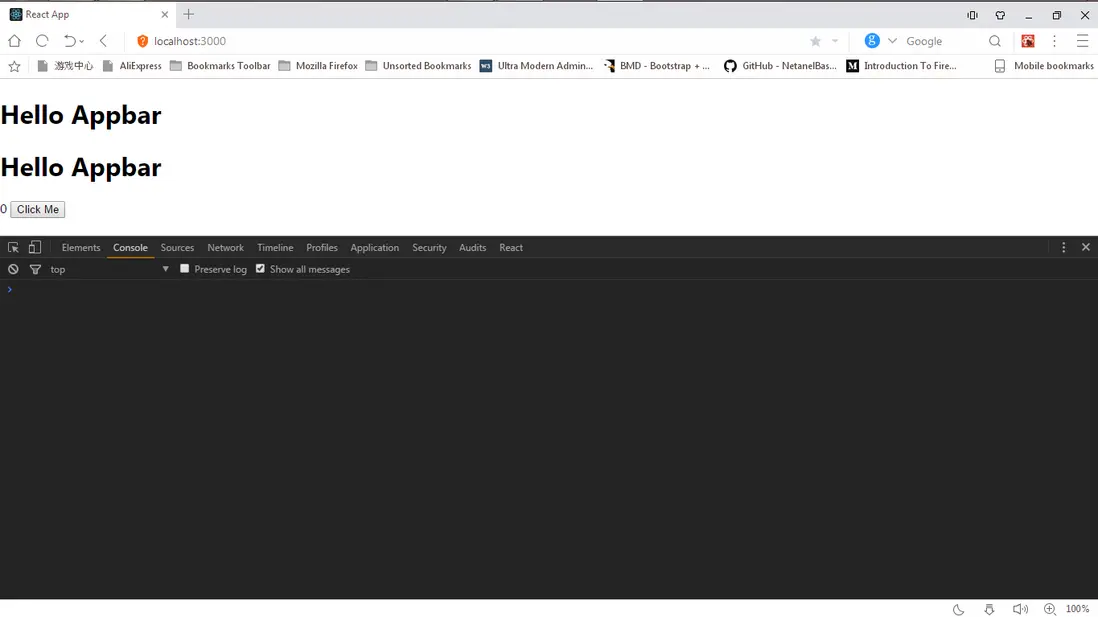
在我們的瀏覽器中測試,我們看到我們的初始渲染:
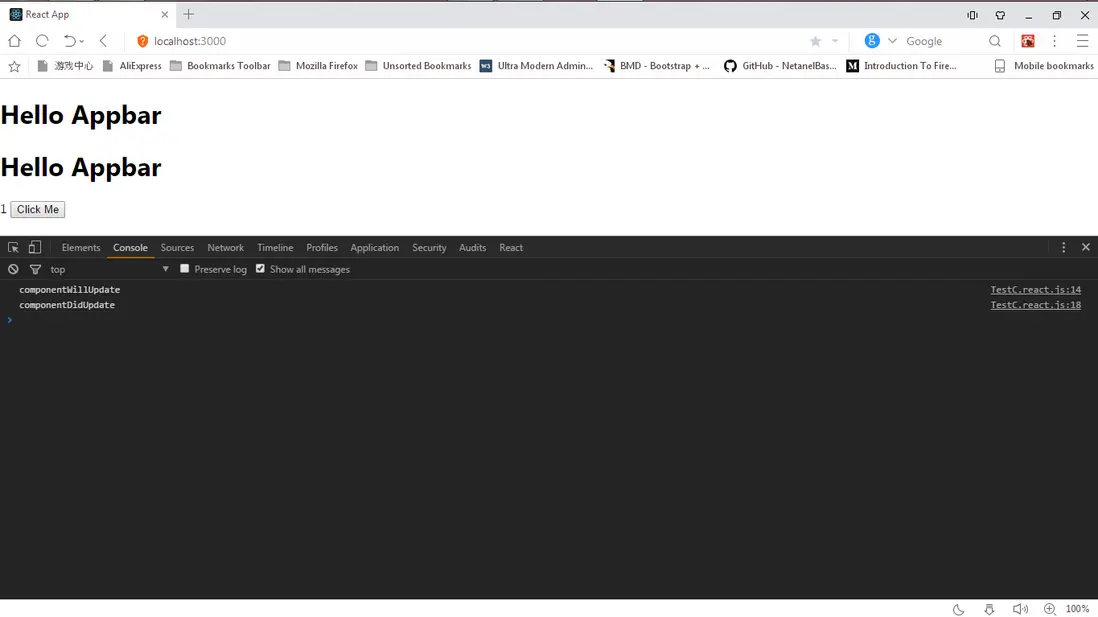
如果我們多次點擊 click Me 按鈕,我們只會得到:
componentWillUpdate
componentDidUpdate
我們可以從 React DevTools 選項卡中操作 TestC 組件的狀態,單擊 React 選項,選擇右側的 TestC,我們將看到帶有值的計數狀態:
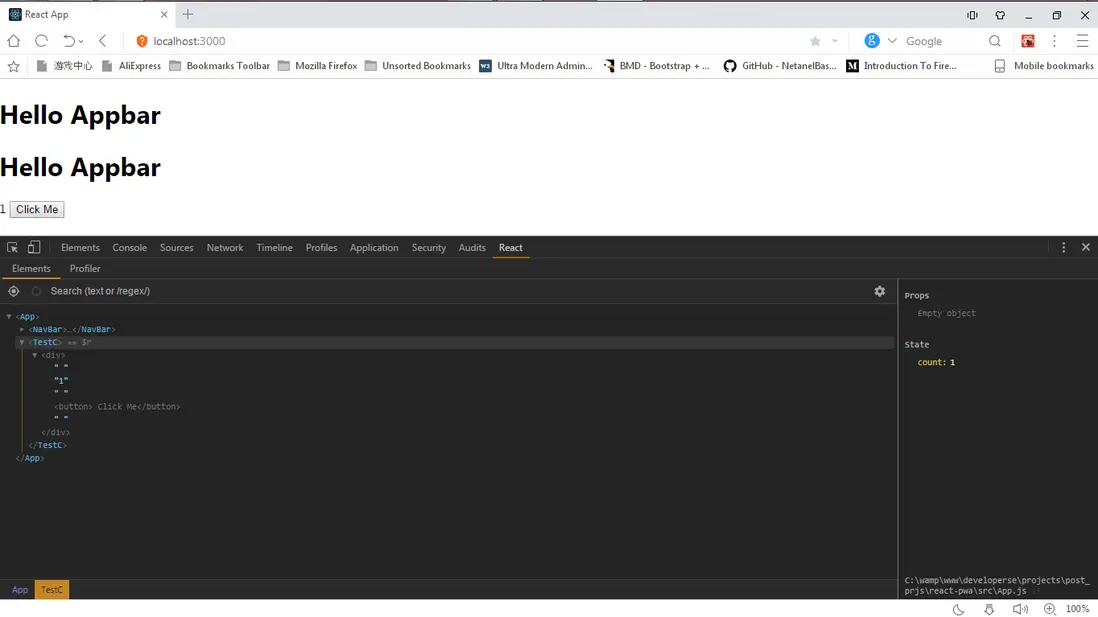
在這裏,我們可以改變數值,點擊count文本,輸入 2,然後回車:
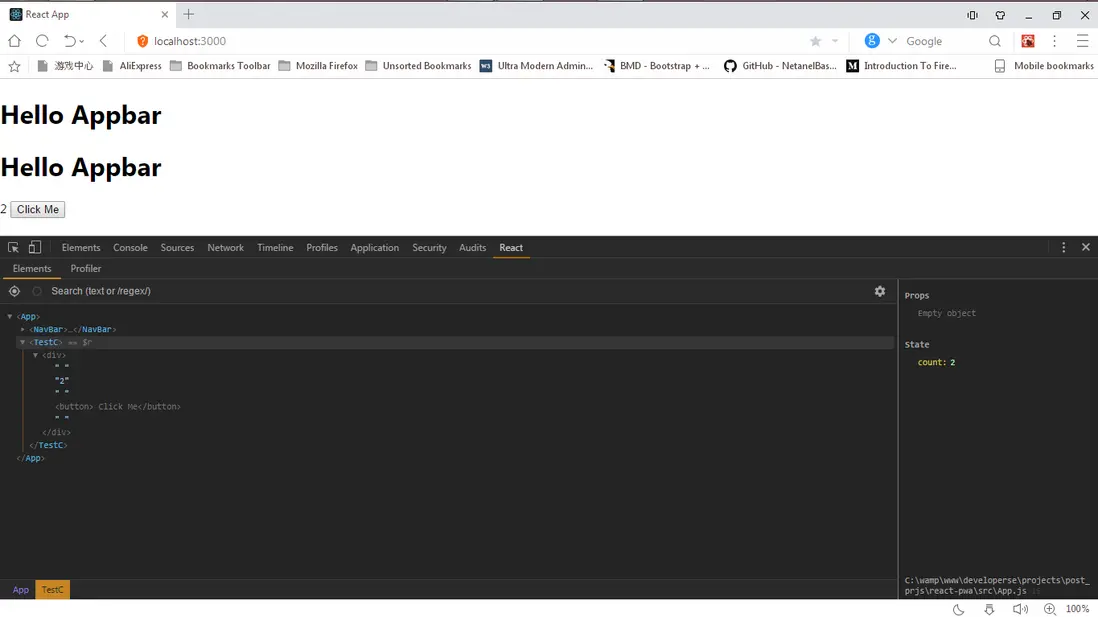
你會看到狀態計數增加到 2,在控制枱會看到:
componentWillUpdate
componentDidUpdate
componentWillUpdate
componentDidUpdate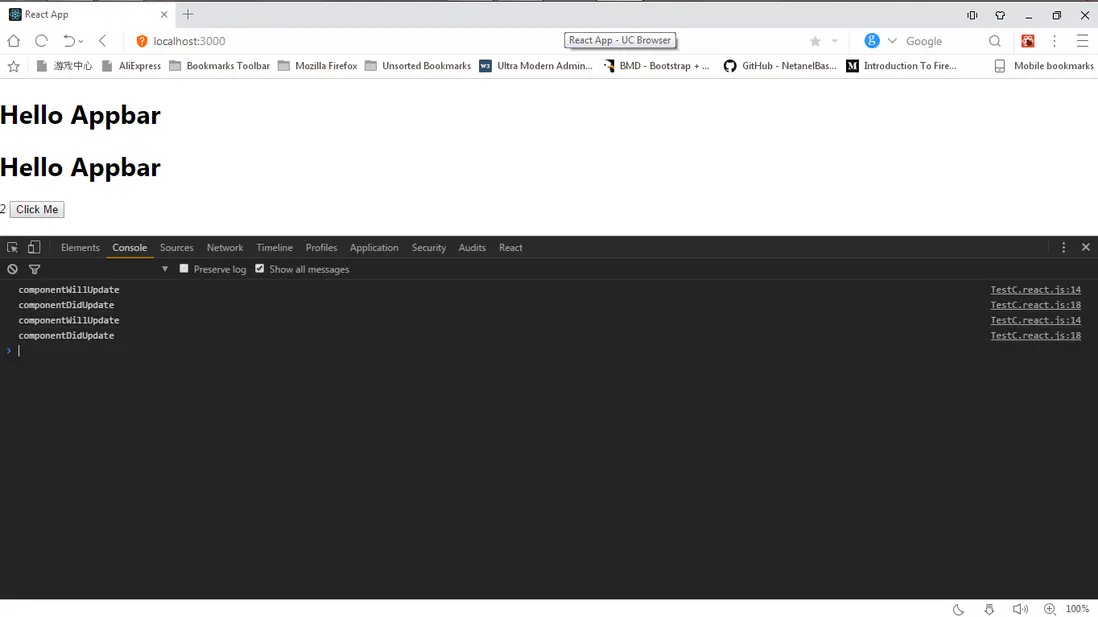
這是因為上個值為 1 且新值為 2,因此需要重新渲染。
現在,使用 純組件。
React在v15.5中引入了Pure Components。 這啓用了默認的相等性檢查(更改檢測)。 我們不必將 shouldComponentUpdate 生命週期方法添加到我們的組件以進行更改檢測,我們只需要繼承 React.PureComponent,React 將會自己判斷是否需要重新渲染。
注意:
1)繼承 React.PureComponent 時,不能再重寫 shouldComponentUpdate,否則會引發警告
Warning: ListOfWords has a method called shouldComponentUpdate(). shouldComponentUpdate should not be used when extending React.PureComponent. Please extend React.Component if shouldComponentUpdate is used.
2)繼承PureComponent時,進行的是淺比較,也就是説,如果是引用類型的數據,只會比較是不是同一個地址,而不會比較具體這個地址存的數據是否完全一致。
class ListOfWords extends React.PureComponent {
 render() {
     return <div>{this.props.words.join(',')}</div>;
 }
}
class WordAdder extends React.Component {
 constructor(props) {
     super(props);
     this.state = {
         words: ['marklar']
     };
     this.handleClick = this.handleClick.bind(this);
 }
 handleClick() {
     // This section is bad style and causes a bug
     const words = this.state.words;
     words.push('marklar');
     this.setState({words: words});
 }
 render() {
     return (
         <div>
             <button onClick={this.handleClick}>click</button>
             <ListOfWords words={this.state.words} />
         </div>
     );
 }
}
上面代碼中,無論你怎麼點擊按鈕,ListOfWords 渲染的結果始終沒變化,原因就是WordAdder的 word 的引用地址始終是同一個。
當然如果想讓你變化,只要在 WordAdder 的 handleClick 內部,將 const words = this.state.words; 改為 const words = this.state.words.slice(0),就行了,因為改變了引用地址。
3)淺比較會忽略屬性或狀態突變的情況,其實也就是,數據引用指針沒變而數據被改變的時候,也不新渲染組件。但其實很大程度上,我們是希望重新渲染的。所以,這就需要開發者自己保證避免數據突變。
接着讓我們修改我們的 TestC 組件來使用 PureComponent:
import React from 'react';
class TestC extends React.PureComponent {
    constructor(props) {
        super(props);
        this.state = {
            count: 0
        }
    }
    componentWillUpdate(nextProps, nextState) {
        console.log('componentWillUpdate')
    }
    componentDidUpdate(prevProps, prevState) {
        console.log('componentDidUpdate')
    }
    /*shouldComponentUpdate(nextProps, nextState) {
        if (this.state.count === nextState.count) {
            return false
        }
        return true
    }*/
    render() {
        return (
            <div>
            { this.state.count }
            <button onClick = {
                () => this.setState({ count: 1 })
            }> Click Me </button>
            </div >
        );
    }
}
export default TestC;
這裏註釋掉了 shouldComponentUpdate 實現,我們不需要它,因為 React.PureComponent 將為我們做檢查。
試它,重新加載你的瀏覽器,並點擊多次點擊 Click Me 按鈕:
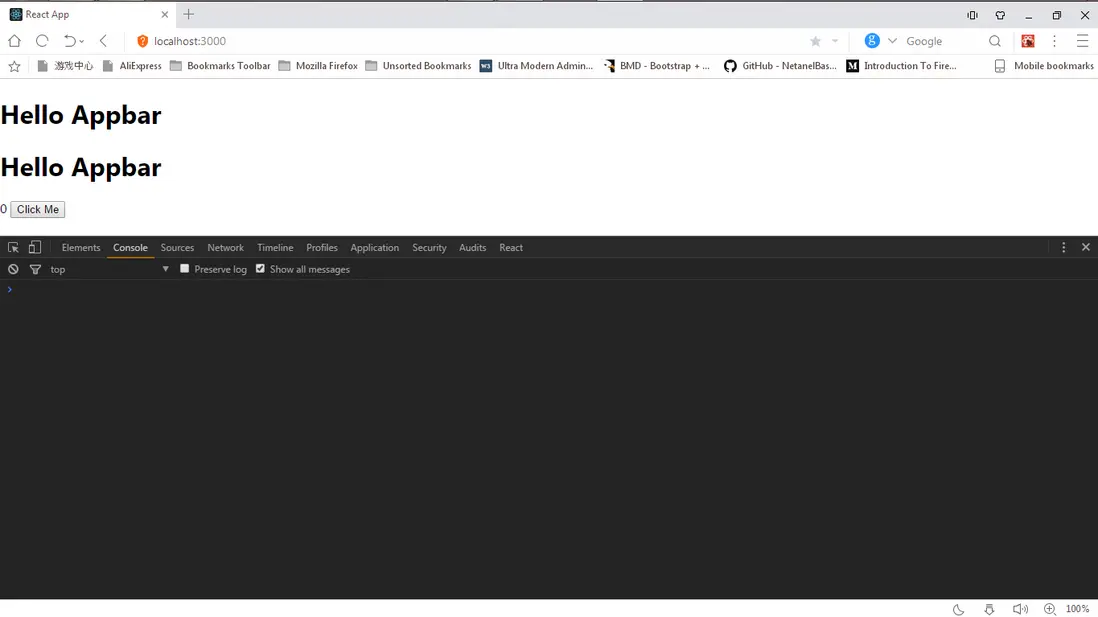
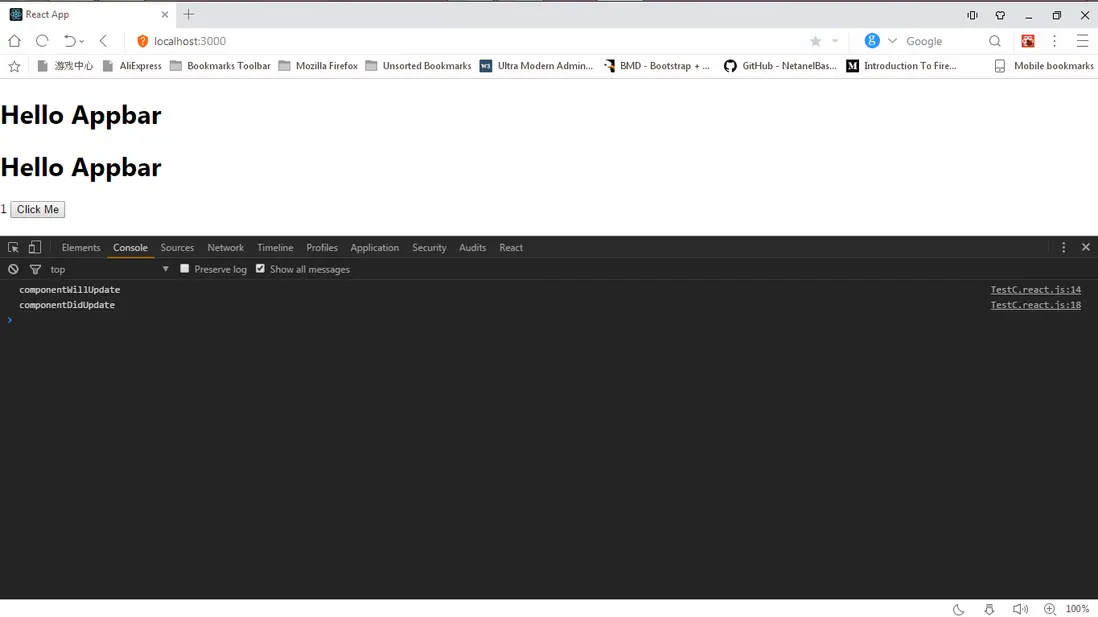
現在,我們已經看到如何在 React 中優化類組件中的重新渲染,讓我們看看我們如何在函數組件中實現同樣的效果。
函數組件
現在,我們看到了如何使用 Pure Components 和 shouldComponentUpdate 生命週期方法優化上面的類組件,是的,類組件是 React 的主要組成部分。 但是函數也可以在 React 中用作為組件。
function TestC(props) {
  return (
    <div>
      I am a functional component
    </div>
  )
}
這裏的問題是,函數組件沒有像類組件有狀態(儘管它們現在利用Hooks useState的出現使用狀態),而且我們不能控制函數組件的是否重新渲染,因為我們不能像在類組件中使用生命週期方法。
如果可以將生命週期鈎子添加到函數組件,那麼就以添加 shouldComponentUpdate 方法來告訴React 什麼時候重新渲染組件。 當然,在函數組件中,我們不能使用 extend React.PureComponent 來優化我們的代碼
讓我們將 TestC 類組件轉換為函數組件。
import Readct from 'react';

const TestC = (props) => {
  console.log(`Rendering TestC :` props)
  return (
    <div>
      {props.count}
    </div>
  )
}

export default TestC;

// App.js
<TextC count={5}/>
在第一次渲染時,它將打印 Rendering TestC :5。

打開 DevTools 並單擊 React 選項。在這裏,更改 TestC 組件的 count 為 5.
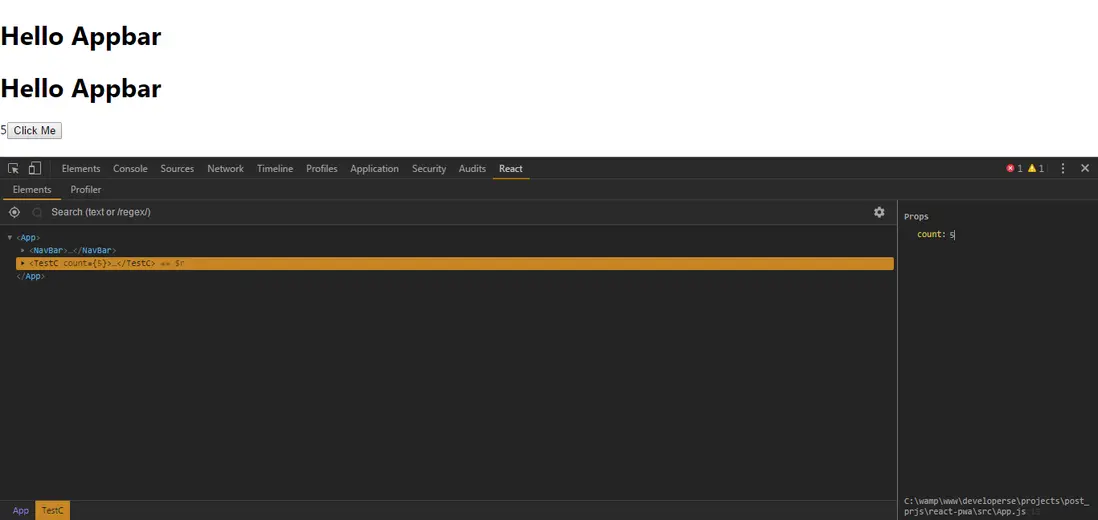
如果我們更改數字並按回車,組件的 props 將更改為我們在文本框中輸入的值,接着繼續更為 45:
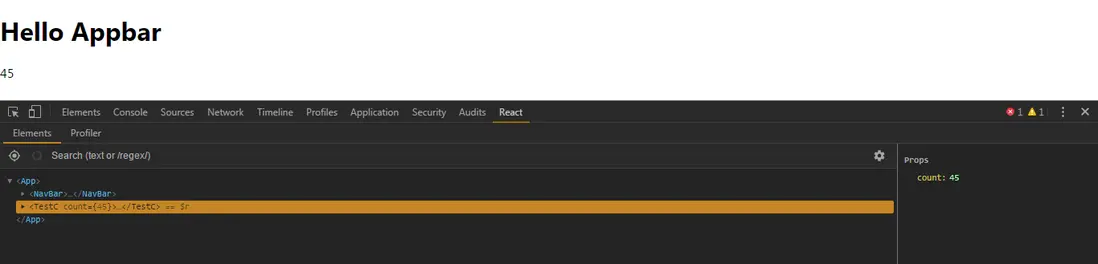
移動到 Console 選項
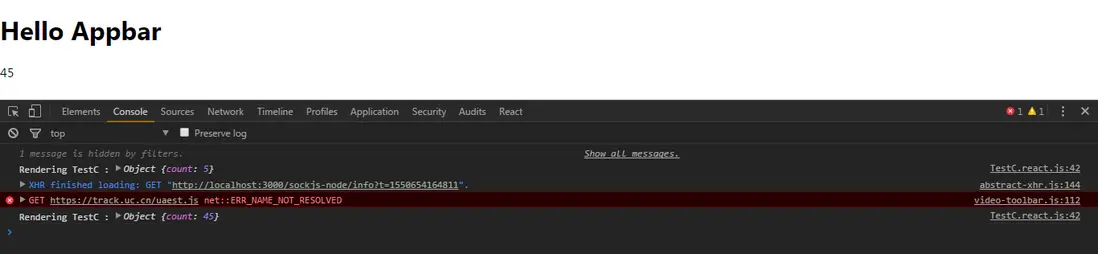
我們看到 TestC 組件重新渲染,因為上個值為 5,當前值為 45.現在,返回 React 選項並將值更改為 45,然後移至 Console:
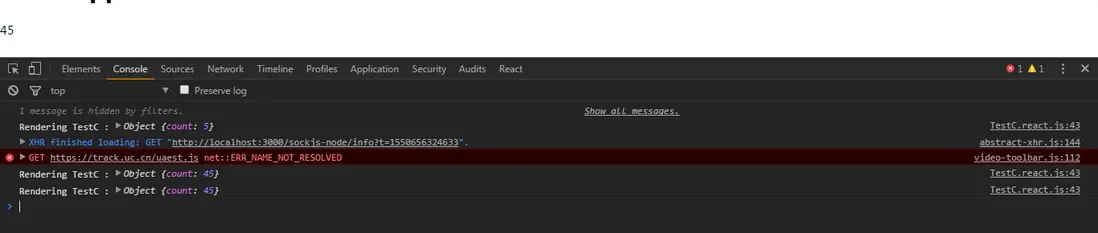
看到組件重新渲染,且上個值與當前值是一樣的。
我們如何控制重新渲染?
解決方案:使用 React.memo()
React.memo(...) 是 React v16.6 中引入的新功能。 它與 React.PureComponent 類似,它有助於控制 函數組件 的重新渲染。 React.memo(...) 對應的是函數組件,React.PureComponent 對應的是類組件。
如何使用 React.memo(…)
這很簡單,假設有一個函數組件,如下:
const Funcomponent = ()=> {
    return (
        <div>
            Hiya!! I am a Funtional component
        </div>
    )
}
我們只需將 FuncComponent 作為參數傳遞給 React.memo 函數:
const Funcomponent = ()=> {
    return (
        <div>
            Hiya!! I am a Funtional component
        </div>
    )
}
const MemodFuncComponent = React.memo(Funcomponent)
React.memo 會返回了一個純組件 MemodFuncComponent。 我們將在 JSX 標記中渲染此組件。 每當組件中的 props 和 state 發生變化時,React 將檢查 上一個 state 和 props 以及下一個 props 和 state 是否相等,如果不相等則函數組件將重新渲染,如果它們相等則函數組件將不會重新渲染。
現在來試試 TestC 函數組件:
let TestC = (props) => {
    console.log('Rendering TestC :', props)
    return (
        <div>
        { props.count }
        </>
    )
}
TestC = React.memo(TestC);
打開瀏覽器並加載應用程序,打開 DevTools 並單擊 React 選項,選擇 <Memo(TestC)>。
現在,如果我們在右邊編輯 count 值為到 89,會看到我們的應用程序重新渲染:

如果我們在將值改為與上個一樣的值: 89:

不會有重新渲染!!
總結
總結幾個要點:
React.PureComponent是銀React.memo(…)是金。React.PureComponent是 ES6 類的組件React.memo(...)是函數組件React.PureComponent優化 ES6 類組件中的重新渲染React.memo(...)優化函數組件中的重新渲染
原文:
https://blog.bitsrc.io/improv...
你的點贊是我持續分享好東西的動力,歡迎點贊!
交流
乾貨系列文章彙總如下,覺得不錯點個Star,歡迎 加羣 互相學習。
https://github.com/qq44924588...
我是小智,公眾號「大遷世界」作者,對前端技術保持學習愛好者。我會經常分享自己所學所看的乾貨,在進階的路上,共勉!
關注公眾號,後台回覆福利,即可看到福利,你懂的。



