

Egg.js 介紹
基於Koa的企業級三層結構框架
Egg.js 的結構
三層結構
- 信息資源層
暴露給外面的接口,後端對其他服務的暴露,包含 視圖、接口;
- 業務邏輯層
重複的業務邏輯處理放在裏面,實現核心的業務控制也是在這一層實現。
- 數據訪問層
重點負責數據庫訪問,完成持久化功能
項目結構
Egg-Dome
├──app
├────controller #路由對應的加載文件
├────public #存放靜態資源
├────service #重複的業務邏輯處理
├────router.js #路徑匹配
├──config #配置文件
基本使用
app/controller/product.js
const {Controller} = require('egg')

class ProductController extends Controller {
 async index(){
   const {ctx} = this
   const res = await ctx.service.product.getAll()
   ctx.body=res
 }
app/service/product.js
const {Service} = require('egg');
class ProductService extends Service{
  async getAll(){
    return {
      id: 1,
      name: '測試數據'
    }
  }
}

module.exports = ProductService
app/router.js
'use strict';

/**
 * @param {Egg.Application} app - egg application
 */
module.exports = app => {
  const { router, controller } = app;
  router.get('/product',controller.product.index)
};
創建模型層
egg.js 加載任何功能都是基於插件
以mysql + sequelize為例例演示數據持久化
安裝:npm install --save egg->sequelize mysql2
環境配置
config/plugin.js
'use strict';

module.exports={
  sequelize= {
    enable: true,
    package: 'egg-sequelize',
  }
}
config/config.default.js
  // add your user config here
  const userConfig = {
    sequelize: {
      dialect: "mysql",
      host: "127.0.0.1",
      port: 3306,
      username: "root",
      password: "example",
      database: "ohh"
    }
  };
實現分層框架
創建一個ohh-egg-dome的項目
先 npm init一下,創建下項目
目錄結構:ohh-egg-dome ├── routers ├──── index.js ├──── user.js ├── index.js
自動加載路由功能
首先創建兩個路徑的文件
routes/index.js
module.exports = {
  'get /': async ctx =>{
    ctx.body = '首頁'
  },
  'get /detail': async ctx=>{
    ctx.body = '詳細頁面'
  }
}
routes/user.js
module.exports={
  // user/
  'get /': async ctx=>{
    ctx.body= '用户首頁'
  },
  // user/info
  'get /info': async ctx=>{
    ctx.body = '用户詳情頁'
  }
}
配置路由頁面
讓上面寫的兩個路由,index和user自動加載
ohh-loader.js
const fs = require('fs')
const path= require('path')
const Router = require('koa-router')


function load(dir, cb){
  // 加工成絕對路徑
  const url = path.resolve(__dirname, dir)
  // 列表
  const files = fs.readdirSync(url)

  // 遍歷
  files.forEach(filename=>{
    // 將 user.js 中的js去掉
    filename = filename.replace('.js','')
    const file = require(url+'/'+filename)

    cb(filename,file)
  })
}

function initRouter(){
  const router =new Router()
  load('routes',(filename, routes)=>{
    // 是index 路徑直接是/ 如果是別的前綴,那麼就需要拼接: /user
    const prefix =filename ==='index'?'':`/${filename}`

    Object.keys(routes).forEach(key=>{
      const [method,path] = key.split(' ')
      console.log(`正在映射地址: ${method.toLocaleUpperCase()} ${prefix}${path}`)
      router[method](prefix + path, routes[key])
    })
  })
  return router
}

module.exports = {initRouter}
index.js
const app = new(require('koa'))()
const {initRouter} = require('./ohh-loader')
app.use(initRouter().routes())
app.listen(7001)
運行
nodemon index.js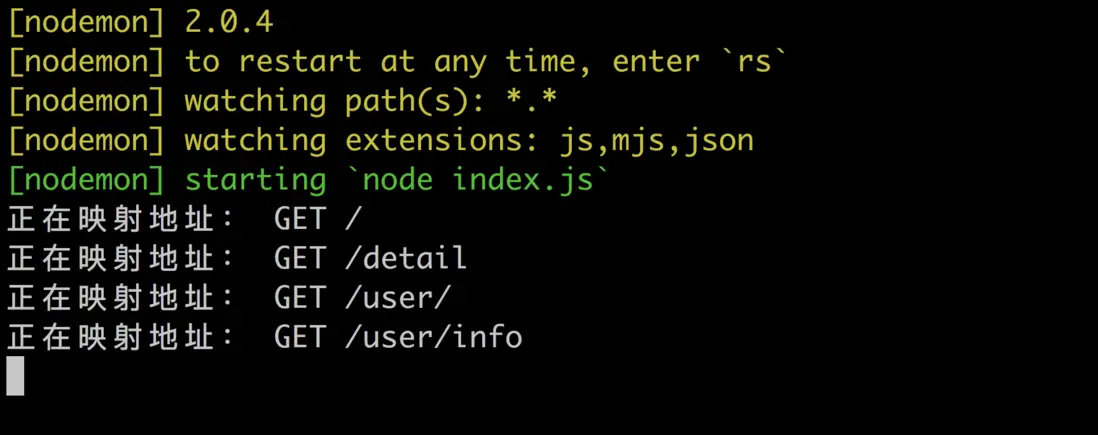
頁面展示
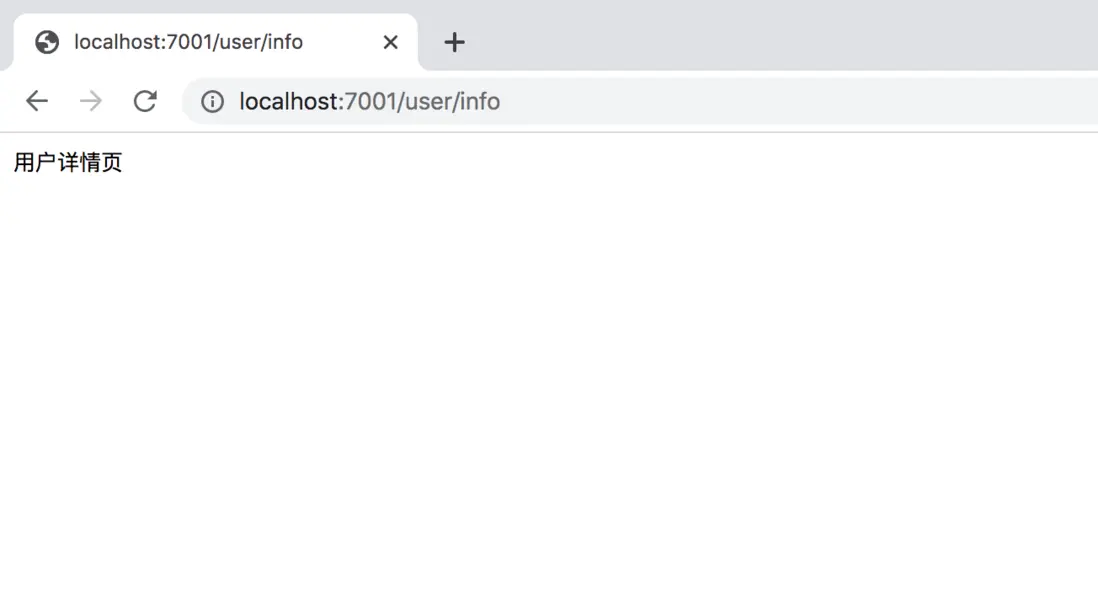
如何封裝
封裝
const {initRouter} = require('./ohh-loader')
app.use(initRouter().routes())
這屬於架構的一部分,不單是加載路由而是加載多層操作,所以把實現細節需要封裝起來。
ohh.js
const Koa = require('koa')
const {initRouter} = require('./ohh-loader')

class ohh{
  constructor(conf){
    this.$app = new Koa(conf)
    this.$router =initRouter()
    this.$app.use(this.$router.routes())
  }
  start(port){
    this.$app.listen(port, ()=>{
      console.log('服務啓動 at '+ port);
    })
  }
}

module.exports = ohh
index.js
// const app = new(require('koa'))()
// const {initRouter} = require('./ohh-loader')
// app.use(initRouter().routes())
// app.listen(7001)


const ohh =require('./ohh')
const app =new ohh()
app.start(7001)
controller功能實現
添加文件
ohh-egg-dome
├── controller
├──── home.js
controller/home.js
module.exports = {
  index: async ctx=>{
    ctx.body = "柯里化-首頁"
  },
  detail:ctx=>{
    ctx.body="柯里化-詳請頁面"
  }
}
routes/index.js
module.exports= app => ({
 'get /': app.$ctrl.home.index,
  'get /detail': app.$ctrl.home.detail
})
// 將對象轉化成=> 對象工廠
ohh-loader.js
const fs = require('fs')
const path= require('path')
const Router = require('koa-router')


function load(dir, cb){
  // 加工成絕對路徑
  const url = path.resolve(__dirname, dir)
  // 列表
  const files = fs.readdirSync(url)
  // 遍歷
  files.forEach(filename=>{
    // 將 user.js 中的js去掉
    filename = filename.replace('.js','')
    const file = require(url+'/'+filename)

    cb(filename,file)
  })
}

function initRouter(app){
  const router =new Router()
  load('routes',(filename, routes)=>{
    // 是index 路徑直接是/ 如果是別的前綴,那麼就需要拼接: /user
    const prefix =filename ==='index'?'':`/${filename}`
    // 判斷傳進來的是柯里化函數
    routes = typeof routes === 'function' ? routes(app): routes
    Object.keys(routes).forEach(key=>{
      const [method,path] = key.split(' ')
      console.log(`正在映射地址: ${method.toLocaleUpperCase()} ${prefix}${path}`)
      router[method](prefix + path, routes[key])
    })
  })
  return router
}
// controller 加載進來
function initController(){
  const controllers={}
  load('controller', (filename, controller)=>{
    controllers[filename] = controller
  })
  return controllers
}

module.exports = {initRouter, initController}
ohh.js
const Koa = require('koa')
const {initRouter, initController} = require('./ohh-loader')

class ohh{
  constructor(conf){
    this.$app = new Koa(conf)
    this.$ctrl =initController() //新加入進來的controller
    this.$router =initRouter(this) // 把this傳進來,在
    this.$app.use(this.$router.routes())
  }
  start(port){
    this.$app.listen(port, ()=>{
      console.log('服務啓動 at '+ port);
    })
  }
}

module.exports = ohh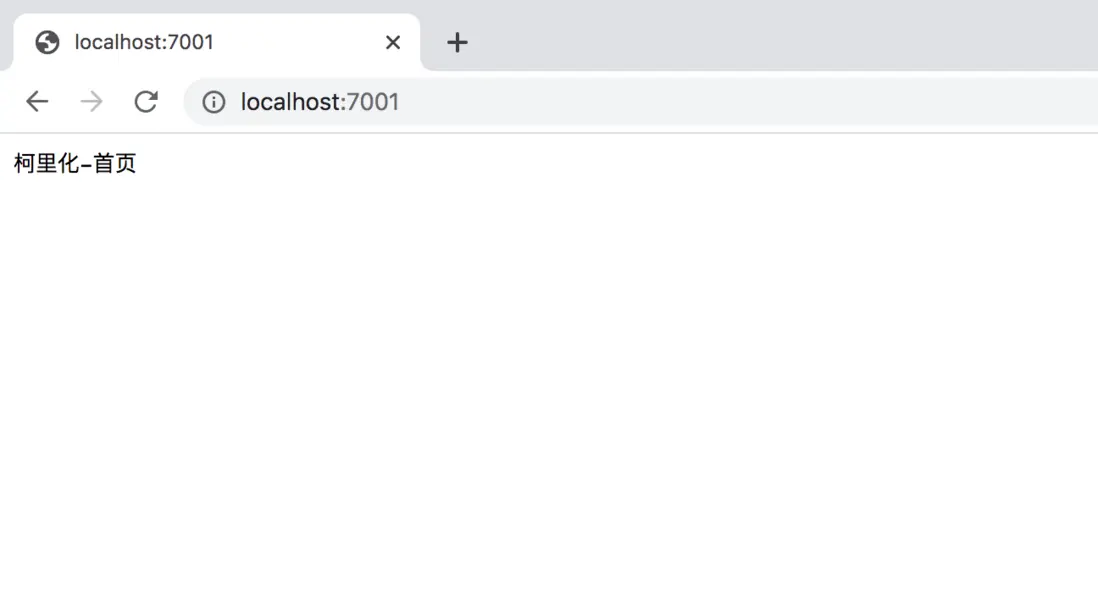
service使用
創建service
service/user.js
//  模擬異步
const delay = (data, tick)=> new Promise (resolve => {
  setTimeout(()=>{
    resolve(data)
  },tick)
})


module.exports = {
  getName(){
    return delay('ohh', 1000)
  },
  getAge(){
      return 18
  }
}
routes/user.js
module.exports={
  // user/
  // 'get /': async ctx=>{
  //   ctx.body= '用户首頁'
  // },
  'get /':async app=>{
    const name= await app.$service.user.getName()
    app.ctx.body= '用户:'+ name
  },

  // user/info
  // 'get /info': async ctx=>{
  //   ctx.body = '用户詳情頁'
  // }
  'get /info': async app=>{
    app.ctx.body="年齡:"+  app.$service.user.getAge()
  }
}
controller/home.js
module.exports = app=>({
  // index: async ctx=>{
  //   ctx.body = "柯里化-首頁"
  // },
  // 這裏需要用上app, 所以需要整個對象進行升階
  index: async ctx=>{
    const name= await app.$service.user.getName()
    app.ctx.body = 'ctrl usr '+ name
  },

  detail:ctx=>{
    ctx.body="柯里化-詳請頁面"
  }
})
service 文件加載
ohh-loader.js
const fs = require('fs')
const path= require('path')
const Router = require('koa-router')


function load(dir, cb){
  // 加工成絕對路徑
  const url = path.resolve(__dirname, dir)
  // 列表
  const files = fs.readdirSync(url)
  // 遍歷
  files.forEach(filename=>{
    // 將 user.js 中的js去掉
    filename = filename.replace('.js','')
    const file = require(url+'/'+filename)
    cb(filename,file)
  })
}

function initRouter(app){
  const router =new Router()
  load('routes',(filename, routes)=>{
    // 是index 路徑直接是/ 如果是別的前綴,那麼就需要拼接: /user
    const prefix =filename ==='index'?'':`/${filename}`
    // 判斷傳進來的是柯里化函數
    routes = typeof routes === 'function' ? routes(app): routes
    Object.keys(routes).forEach(key=>{
      const [method,path] = key.split(' ')
      console.log(`正在映射地址: ${method.toLocaleUpperCase()} ${prefix}${path}`)
      // 這裏進行了; 一次調整。router 中的文件需要用ctx 。所以包裝了一層
      router[method](prefix + path, async ctx=>{
      // app.ctx, 需要重新複製,因為app中的ctx是ohh.loader的;
      // 因為在router中,我們使用的是 `app.ctx.body= '用户:'+ name`,這個ctx就是Koa的
        app.ctx =ctx
        await routes[key](app)
      })
    })
  })
  // console.log('router', router);
  return router
}
// controller 加載進來
function initController(app){
  const controllers={}
  load('controller', (filename, controller)=>{
    // console.log('controller-filename', filename, controller);
    controllers[filename] = controller(app)
  })
  console.log(controllers,'controllers')
  return controllers
}

// 加載service文件
function initService(){
  const services={}
  // filename 在service 中的文件名稱;
  // service  在文件中默認導出對象的內容
  load('service',(filename,service)=>{
    services[filename]= service
  })
  return services
}

module.exports = {initRouter, initController, initService}
ohh.js
const Koa = require('koa')
const {initRouter, initController, initService} = require('./ohh-loader')

class ohh{
  constructor(conf){
    this.$app = new Koa(conf)
    this.$service = initService()
    this.$ctrl =initController(this)
    this.$router =initRouter(this) // 把this傳進來,在
    this.$app.use(this.$router.routes())
  }
  start(port){
    this.$app.listen(port, ()=>{
      console.log('服務啓動 at '+ port);
    })
  }
}

module.exports = ohh
在controller中使用service,需要將controller進行升階,柯理化
router中使用service,改為函數,需要內部用的app
加載數據層
首先安裝sequelize、mysql2
npm install sequelize mysql2 --save
config/index.js
// 數據庫配置
module.exports = {
  db:{
    dialect:'mysql',
    host:'localhost',
    database:'ohh',
    username:'root',
    password:'example'
  }
}
ohh-loader.js
// 主要功能是自動加載config函數,判斷裏面是有數據庫相應的配置,自動初始化數據庫
const Sequelize = require('sequelize')
function loadConfig(app){
  load('config', (filename,conf)=>{
     if(conf.db){
       console.log('加載數據庫');
        app.$db = new Sequelize(conf.db)
     }
  })
}
module.exports = {initRouter, initController, initService, loadConfig}
const Koa = require('koa')
const {initRouter, initController, initService, loadConfig} = require('./ohh-loader')
class ohh{
constructor(conf){
loadConfig(this)
}
start(port){
this.$app.listen(port, ()=>{
console.log('服務啓動 at '+ port);
})
}
}
module.exports = ohh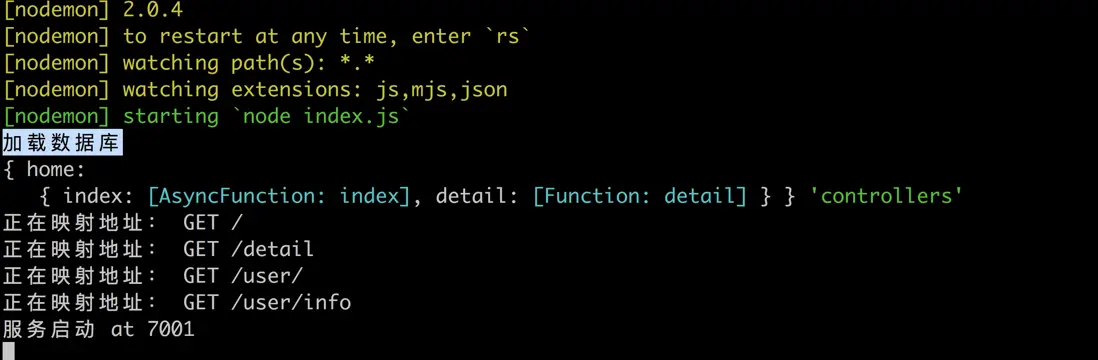
加載數據模型
model/user.js
const {STRING} = require("sequelize");
// 新建數據庫模型
module.exprots={
  schema:{
    name: STRING(30)
  },
  options:{
    timestamps: false
  }
}
ohh-loader.js
// 主要功能是自動加載config函數,判斷裏面是有數據庫相應的配置,自動初始化數據庫
const Sequelize = require('sequelize')
function loadConfig(app){
  load('config', (filename,conf)=>{
     if(conf.db){
       console.log('加載數據庫');
        app.$db = new Sequelize(conf.db)
        // 加載模型
        app.$model = {}
        load('model',(filename, {schema, options})=>{
          // 創建模型
          app.$model[filename] = app.$db.define(filename,schema,options)
        })
        app.$db.sync()
     }
  })
}
ohh.js
class ohh{
  this.$service = initService(this)
}
ohh-loader.js
//service  使用model
// 加載service文件
function initService(app){
  const services={}
  // filename 在service 中的文件名稱;
  // service  在文件中默認導出對象的內容
  load('service',(filename,service)=>{
    services[filename]= service(app)
  })
  return services
}
service/user.js
module.exports = app=>({
  getName(){
    // return delay('ohh', 1000)
    return app.$model.user.findAll()
  },
  getAge(){
      return 18
  }
})
controller/home.js
  index: async ctx=>{
    const name= await app.$service.user.getName()
    app.ctx.body = name
  },
自動加載中間件
middleware/logger.js
module.exports= async (ctx,next)=>{
  console.log(ctx.method+" "+ctx.path);
  const start =new Date()
  await next()
  const duration = new Date() - start;
  console.log(ctx.method+" "+ctx.path+" "+ctx.status+" "+duration+"ms");
}
config/index.js
// 數據庫配置
module.exports = {
  db:{
    dialect:'mysql',
    host:'localhost',
    database:'ohh',
    username:'root',
    password:'example'
  },
  // 中間件配置,定義為數組
  middleware:[
    // 中間件的名字
    'logger'
  ]
}
ohh-loader.js
function loadConfig(app){
  load('config', (filename,conf)=>{
     // 如果有中間件配置
     if(conf.middlerware){
      // 不需要load,不用全部加載。所以依次加載

      // 首先處理絕對路徑
      // 三段體, /xxx+ '/middleware/'+ 'logger'
      const midPath =path.resolve(_dirname,'middleware', mid)
      app.$app.use(require(midPath))
     }
    })


### 定時任務
使⽤Node-schedule來管理定時任務
npm install node-schedule --save
> `schedule/log.js`
module.exports= {
// 時間間隔 crontab 時間間隔的字符串
// */ 表示先執行一次,3秒後,在執行。
interval:'/3 ', // 3秒執行一次
handler(){
console.log('定時任務,每三秒執行一次'+ new Date());
}
}
> `schedule/user.js`module.exports={
// 30秒之後執行
interval:"30 *",
handler(){
console.log('定時任務 每分鐘30秒執行一次'+ new Date())}
}
> `ohh-loader.js`
const schedule = require('node-schedule')
function initschecule(){
load('schedule',(filename, scheduleConfig)=>{
schedule.scheduleJob(scheduleConfig.interval, scheduleConfig.handler)})
}
> `ohh.js`class ohh {
constructor(conf){
    initschecule()
}
}
> linux的crobtab 的介紹説明
> [https://www.runoob.com/w3cnote/linux-crontab-tasks.html](https://www.runoob.com/w3cnote/linux-crontab-tasks.html)