
問題描述
使用App Service服務,應用中突然爆出異常 There is not enough space on the disk. (Exception from HRESULT: 0x80070070)。
面對這類錯誤,第一反應當然是需要找到佔用磁盤的大文件或者大文件夾。然後,刪除它。
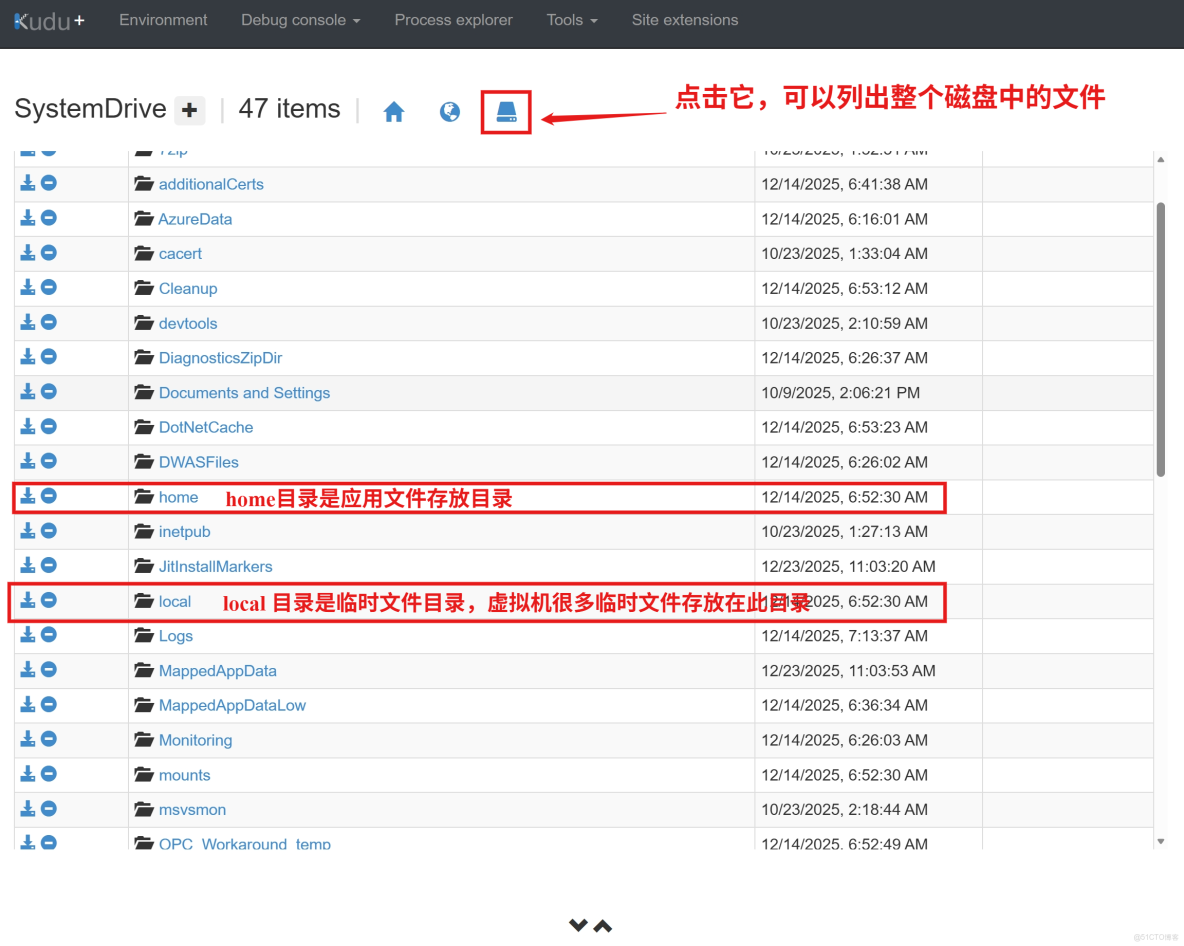
只是,進入kudu站點才發現,文件層次太多,無法輕鬆找到。
於是,需要找到一段腳本,快速計算目錄中文件夾大小。
問題解答
使用Powershell腳本,非常容易實現此目的。
## 計算文件夾大小的腳本:
$paths = Get-ChildItem -Directory
foreach ($p in $paths) {
    $size = (Get-ChildItem $p.FullName -Recurse -File -EA SilentlyContinue | Measure-Object Length -Sum).Sum
    "{0,-60} {1,12:N2} MB" -f $p.Name, ($size / 1MB)
}
只是,如果從根目錄(比如C:\)開始計算,由於文件夾太多,計算還是要耗費很長時間。
針對App Service服務,可以只關注兩個目錄 c:\home 和 c:\local。
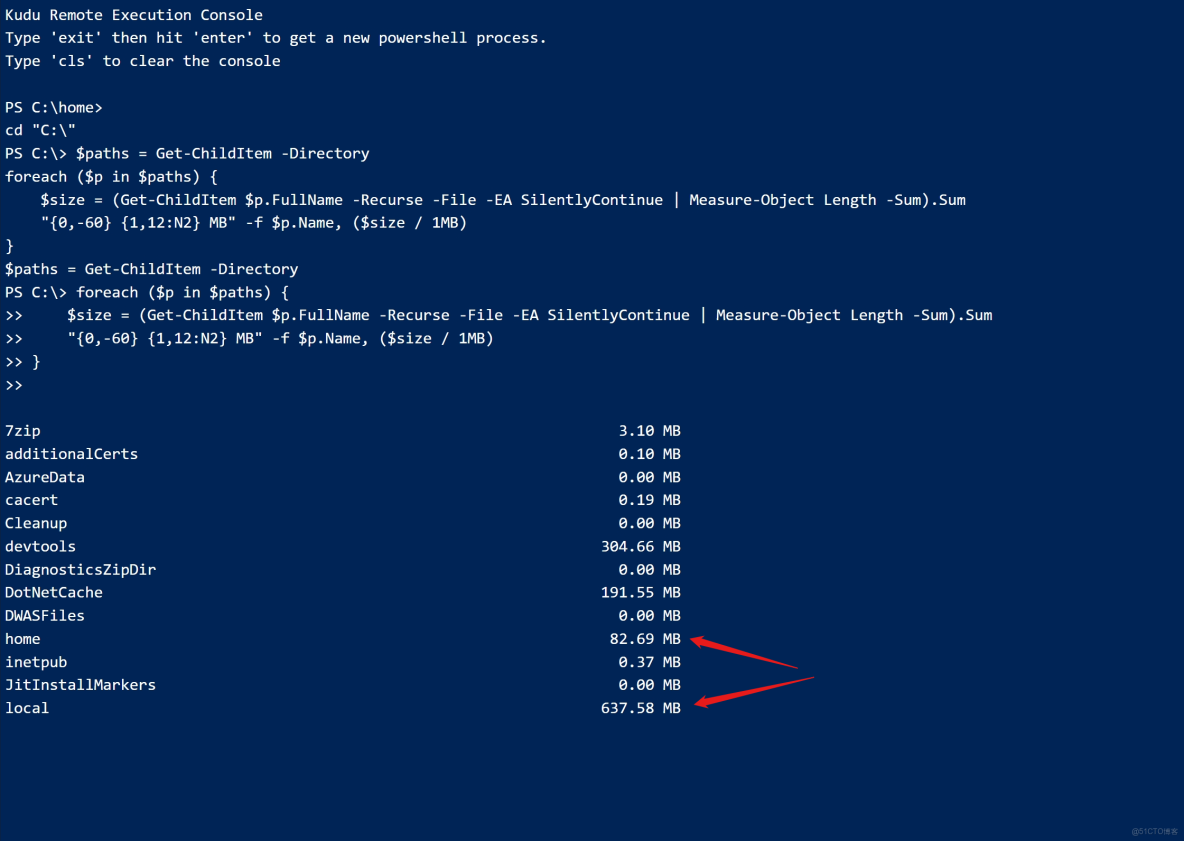
比如上圖中,提示local文件夾中文件達到了637MB,層層深入,就可以定位到具體的大文件
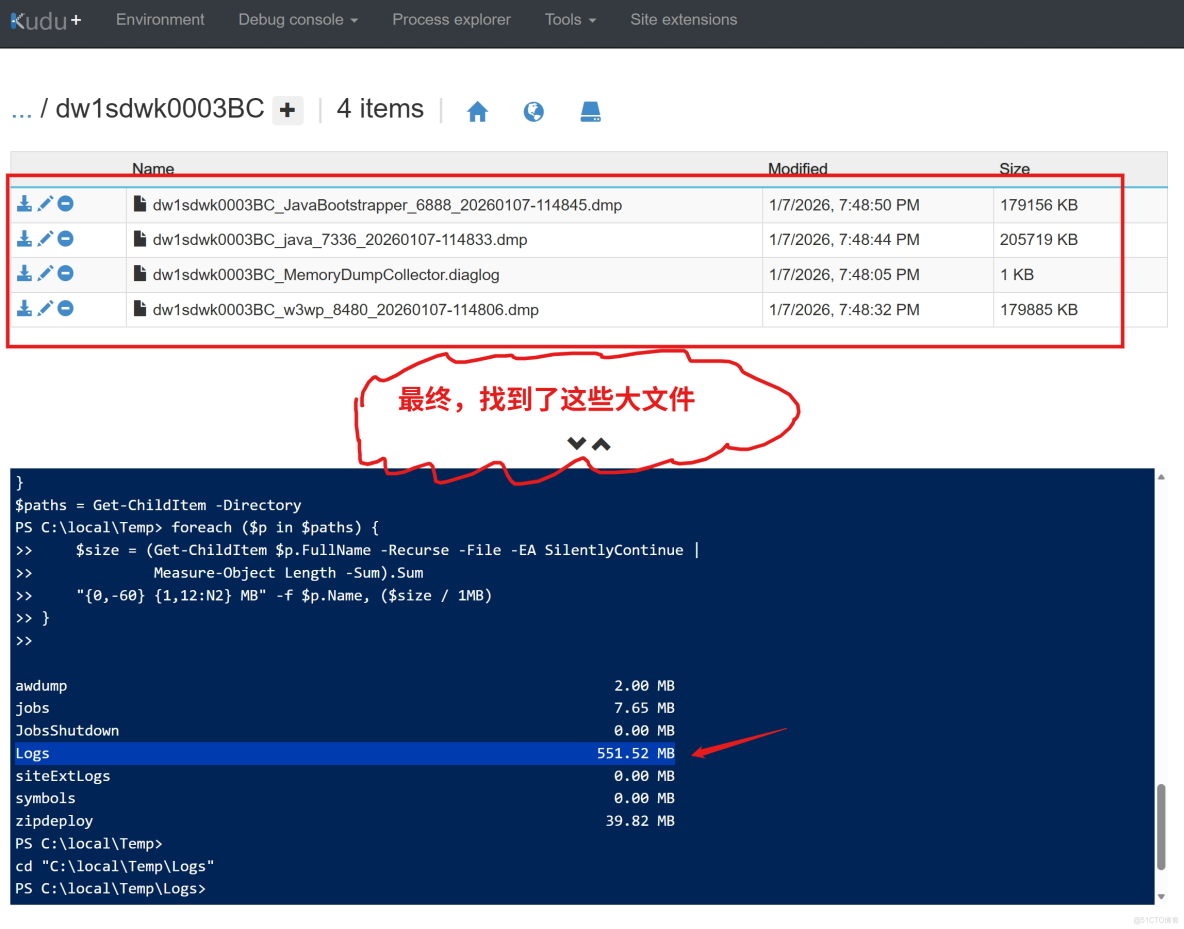
接下來,就非常容易。如果需要,可以點擊文件名左側的第一個下載圖標。如果不需要,點擊第三個刪除圖標,刪除文件。
參考資料
App Service Temporary files:https://github.com/projectkudu/kudu/wiki/Understanding-the-Azure-App-Service-file-system#temporary-files
當在複雜的環境中面臨問題,格物之道需:濁而靜之徐清,安以動之徐生。 雲中,恰是如此!
