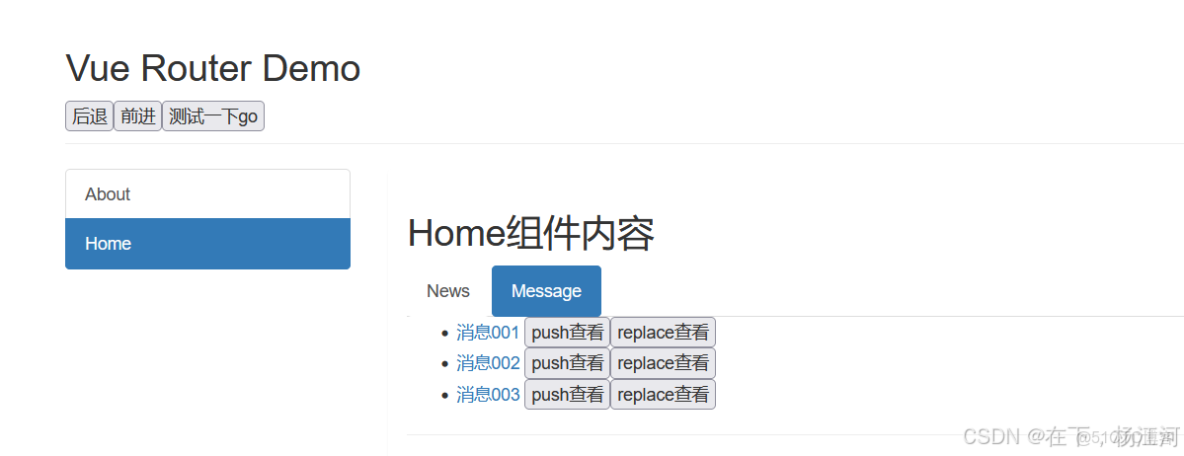
筆記
- 作用:不借助
<router-link>實現路由跳轉,讓路由跳轉更加靈活 - 具體編碼:
//$router的兩個API
this.$router.push({
	name:'xiangqing',
		params:{
			id:xxx,
			title:xxx
		}
})

this.$router.replace({
	name:'xiangqing',
		params:{
			id:xxx,
			title:xxx
		}
})
this.$router.forward() //前進
this.$router.back() //後退
this.$router.go() //可前進也可後退
代碼
Message.vue
<template>
	<div>
		<ul>
			<li v-for="m in messageList" :key="m.id">
				<!-- 跳轉路由並攜帶params參數,to的字符串寫法 -->
				<!-- <router-link :to="`/home/message/detail/${m.id}/${m.title}`">{{m.title}}</router-link>   -->

				<!-- 跳轉路由並攜帶params參數,to的對象寫法 -->
				<router-link :to="{
					name:'xiangqing',
					query:{
						id:m.id,
						title:m.title
					}
				}">
					{{m.title}}
				</router-link>
				<button @click="pushShow(m)">push查看</button>
				<button @click="replaceShow(m)">replace查看</button>
			</li>
		</ul>
		<hr>
		<router-view></router-view>
	</div>
</template>

<script>
	export default {
		name:'Message',
		data() {
			return {
				messageList:[
					{id:'001',title:'消息001'},
					{id:'002',title:'消息002'},
					{id:'003',title:'消息003'}
				]
			}
		},
		methods: {
			pushShow(m){
				this.$router.push({
					name:'xiangqing',
					query:{
						id:m.id,
						title:m.title
					}
				})
			},
			replaceShow(m){
				this.$router.replace({
					name:'xiangqing',
					query:{
						id:m.id,
						title:m.title
					}
				})
			}
		},
	}
</script>