<!DOCTYPE html>
<html lang="utf-8">
<meta http-equiv="Content-Type" content="text/html; charset=utf-8"/>
<head>
     <title>1402.鐵路標誌 Draft7 上色</title>
     <style type="text/css">
     .centerlize{
        margin:0 auto;
        width:1200px;
     }
     </style>
     </head>

     <body onload="init();">
        <div class="centerlize">
            <canvas id="myCanvas" width="12px" height="12px" style="border:1px dotted black;">
                如果看到這段文字説您的瀏覽器尚不支持HTML5 Canvas,請更換瀏覽器再試.
            </canvas>
        </div>
     </body>
</html>
<script type="text/javascript">
<!--
/*****************************************************************
* 將全體代碼(從<!DOCTYPE到script>)拷貝下來,粘貼到文本編輯器中,
* 另存為.html文件,再用chrome瀏覽器打開,就能看到實現效果。
******************************************************************/

// canvas的繪圖環境
var ctx;

// 高寬
const WIDTH=512;
const HEIGHT=512;

// 舞台對象
var stage;

//-------------------------------
// 初始化
//-------------------------------
function init(){
    // 獲得canvas對象
    var canvas=document.getElementById('myCanvas');
    canvas.width=WIDTH;
    canvas.height=HEIGHT;

    // 初始化canvas的繪圖環境
    ctx=canvas.getContext('2d');
    ctx.translate(WIDTH/2,HEIGHT/2);// 原點平移

    // 準備
    stage=new Stage();
    stage.init();

    // 開幕
    animate();
}

// 播放動畫
function animate(){
    stage.update();
    stage.paintBg(ctx);
    stage.paintFg(ctx);

    // 循環
    if(true){
        //sleep(100);
        window.requestAnimationFrame(animate);
    }
}

// 舞台類
function Stage(){
    // 初始化
    this.init=function(){

    }

    // 更新
    this.update=function(){

    }

    // 畫背景
    this.paintBg=function(ctx){
        ctx.clearRect(-WIDTH/2,-HEIGHT/2,WIDTH,HEIGHT);// 清屏
    }

    // 畫前景
    this.paintFg=function(ctx){
        // 底色
        /*ctx.save();
        ctx.fillStyle = "white";
        ctx.fillRect(-WIDTH/2,-HEIGHT/2,WIDTH,HEIGHT);
        ctx.restore();*/

        const R=100;//基準尺寸
        var ct=createPt(0,0);// ct=center

        // #1 底圓
        ctx.save();
        var r=R*1.00;
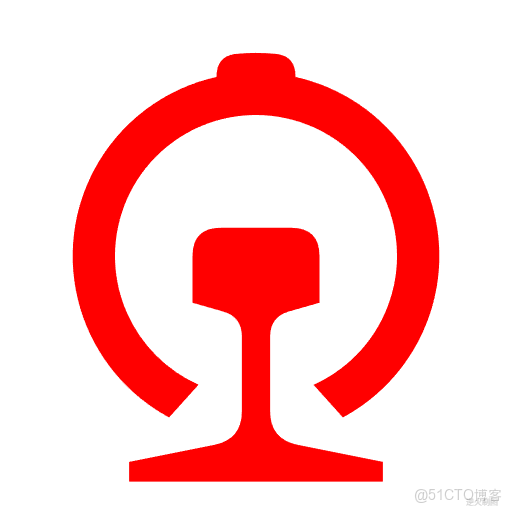
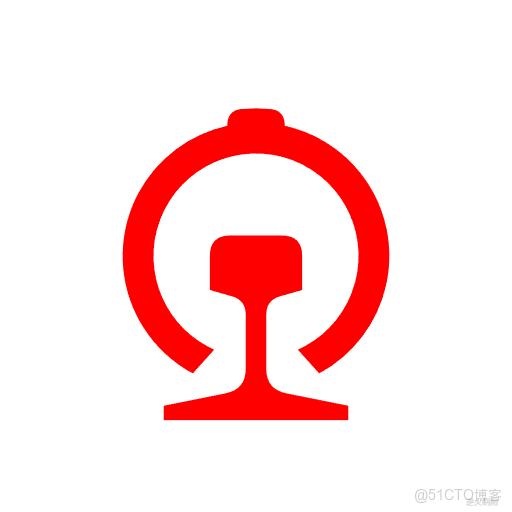
        drawRailway(ctx,ct.x,ct.y,r,"red");
        ctx.restore();

        writeText(ctx,WIDTH/2-30,HEIGHT/2-5,"逆火製圖","8px consolas","lightgrey");// 版權
    }
}

/*--------------------------------------------------
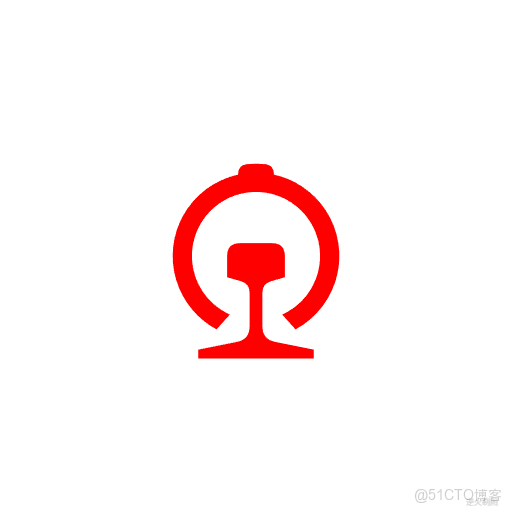
專用函數:繪製鐵路標誌
ctx:繪圖上下文
x:圖形中心橫座標
y:圖形中心縱座標
R:圖形中心到工字鋼底邊中心的距離
fillStyle:填充色
---------------------------------------------------*/
function drawRailway(ctx,x,y,R,fillStyle){
    var ct=createPt(x,y);// ct=center

    // 1.工字鋼部分
    var a=createPt3(ct,10/78*R,-Math.PI/2);
    var b=createPt3(a,22.5/78*R,0);
    var cCenter=createPt3(ct,23/78*R,Math.PI/2);
    var alpha=Math.atan(1/3.5);
    var c=createPt3(cCenter,(22.5/Math.cos(alpha))/78*R,-alpha);
    var d=createPt3(cCenter,(5/Math.cos(alpha))/78*R,-alpha);
    var eCenter=createPt3(cCenter,41/78*R,Math.PI/2);
    var beta=Math.atan(1/5);
    var e=createPt3(eCenter,(5/Math.cos(beta))/78*R,beta);
    var f=createPt3(eCenter,(45/Math.cos(beta))/78*R,beta);
    var ghCenter=createPt3(ct,80/78*R,Math.PI/2);
    var g=createPt3(ghCenter,45/78*R,0);
    var h=createPt3(ghCenter,45/78*R,Math.PI);
    var i=createPt3(f,90/78*R,Math.PI);
    var j=createPt3(e,10/78*R,Math.PI);
    var k=createPt3(d,10/78*R,Math.PI);
    var l=createPt3(c,45/78*R,Math.PI);
    var m=createPt3(b,45/78*R,Math.PI);
    var b1=createPt3(b,10/78*R,Math.PI);
    var b2=createPt3(b,10/78*R,Math.PI/2);
    var m1=createPt3(m,10/78*R,Math.PI/2);
    var m2=createPt3(m,10/78*R,0);
    var d1=createPt3(d,7/78*R,-alpha);
    var d2=createPt3(d,7/78*R,Math.PI/2);
    var k1=createPt3(k,7/78*R,Math.PI/2);
    var k2=createPt3(k,7/78*R,Math.PI+alpha);
    var e1=createPt3(e,10/78*R,-Math.PI/2);
    var e2=createPt3(e,10/78*R,beta);
    var j1=createPt3(j,10/78*R,Math.PI-beta);
    var j2=createPt3(j,10/78*R,-Math.PI/2);

    ctx.fillStyle=fillStyle;
    ctx.beginPath();
    ctx.moveTo(a.x,a.y);
    ctx.lineTo(b1.x,b1.y);
    ctx.quadraticCurveTo(b.x,b.y,b2.x,b2.y);
    ctx.lineTo(c.x,c.y);
    ctx.lineTo(d1.x,d1.y);
    ctx.quadraticCurveTo(d.x,d.y,d2.x,d2.y);
    ctx.lineTo(e1.x,e1.y);
    ctx.quadraticCurveTo(e.x,e.y,e2.x,e2.y);
    ctx.lineTo(f.x,f.y);
    ctx.lineTo(g.x,g.y);
    ctx.lineTo(h.x,h.y);
    ctx.lineTo(i.x,i.y);
    ctx.lineTo(j1.x,j1.y);
    ctx.quadraticCurveTo(j.x,j.y,j2.x,j2.y);
    ctx.lineTo(k1.x,k1.y);
    ctx.quadraticCurveTo(k.x,k.y,k2.x,k2.y);
    ctx.lineTo(l.x,l.y);
    ctx.lineTo(m1.x,m1.y);
    ctx.quadraticCurveTo(m.x,m.y,m2.x,m2.y);
    ctx.lineTo(a.x,a.y);
    ctx.fill();

    // 2.環形部分
    var f_g=getDistance(f,g);
    var gama=Math.atan((45/78*R)/(57/78*R-f_g));
    var cCenter_ct=getDistance(cCenter,ct);
    var delta=Math.asin(Math.sin(gama)*cCenter_ct/(50/78*R));
    var a=createPt3(ct,50/78*R,Math.PI/2-(gama-delta));
    var b=createPt3(ct,50/78*R,Math.PI/2+(gama-delta));
    var zeta=Math.asin(Math.sin(gama)*cCenter_ct/(65/78*R));
    var c=createPt3(ct,65/78*R,Math.PI/2+(gama-zeta));
    var hita=Math.asin(14/65);
    var theta=Math.asin(14/72);
    var e=createPt3(ct,72/78*R,Math.PI/2*3-theta);
    var f=createPt3(ct,72/78*R,Math.PI/2*3+theta);
    var g=createPt3(ct,65/78*R,Math.PI/2*3+hita);
    var e1=createPt3(e,7/78*R,Math.PI/2);
    var e2=createPt3(ct,72/78*R,Math.PI/2*3-theta+7/78);
    var f1=createPt3(ct,72/78*R,Math.PI/2*3+theta-7/78);
    var f2=createPt3(f,7/78*R,Math.PI/2);
    var e2_f1=getDistance(e2,f1);
    var baga=Math.asin((e2_f1/2)/(72/78*R));

    ctx.fillStyle=fillStyle;
    ctx.beginPath();
    ctx.moveTo(a.x,a.y);
    ctx.arc(ct.x,ct.y,50/78*R,Math.PI/2-(gama-delta),Math.PI/2+(gama-delta),true);
    ctx.lineTo(c.x,c.y);
    ctx.arc(ct.x,ct.y,65/78*R,Math.PI/2+(gama-zeta),Math.PI/2*3-(hita),false);
    ctx.lineTo(e1.x,e1.y);
    ctx.quadraticCurveTo(e.x,e.y,e2.x,e2.y);
    ctx.arc(ct.x,ct.y,72/78*R,Math.PI/2*3-baga,Math.PI/2*3+baga,false);
    ctx.lineTo(f1.x,f1.y);
    ctx.quadraticCurveTo(f.x,f.y,f2.x,f2.y);
    ctx.lineTo(g.x,g.y);
    ctx.arc(ct.x,ct.y,65/78*R,Math.PI/2*3+(hita),Math.PI/2-(gama-zeta),false);
    ctx.closePath();
    ctx.fill();
}

/*------------------------------------------------------------------------
 常用函數:drawEllipse函數的套娃函數
 ctx:繪圖上下文
 x:橢圓中心點橫座標
 y:橢圓中心點縱座標
 width:橢圓寬
 height:橢圓高
------------------------------------------------------------------------*/
function drawTuoYuan(ctx,x,y,width,height){
    drawEllipse(ctx,x-width/2,y-height/2,width,height);
}

/*------------------------------------------------------------------------
 常用函數:使用貝塞爾三次曲線擬近橢圓,
        該方法比原生的ellipse函數消耗小很多。
 ctx:繪圖上下文
 x:橢圓左極點橫座標(注意不是中心點)
 y:橢圓左極點縱座標(注意不是中心點)
 width:橢圓寬
 height:橢圓高
 注:該方法摘錄自 張磊著《HTML5實驗室-Canvas世界》,電子工業出版社出版
------------------------------------------------------------------------*/
function drawEllipse(ctx,x,y,width,height){
    var k=0.55228475;
    var ox=(width/2)*k;
    var oy=(height/2)*k;
    var xe=x+width;
    var ye=y+height;
    var xm=x+width/2;
    var ym=y+height/2;

    ctx.beginPath();
    ctx.moveTo(x,ym);
    ctx.bezierCurveTo(x,ym-oy,xm-ox,y,xm,y);
    ctx.bezierCurveTo(xm+ox,y,xe,ym-oy,xe,ym);
    ctx.bezierCurveTo(xe,ym+oy,xm+ox,ye,xm,ye);
    ctx.bezierCurveTo(xm-ox,ye,x,ym+oy,x,ym);
    ctx.closePath();
}

/*----------------------------------------------------------
基礎函數:用於從角度取得弧度,便於微調
degree:角度值,如30,60,90
返回值:弧度值,如PI/6,PI/3,PI/2
----------------------------------------------------------*/
function getRadian(degree){
    return degree/180*Math.PI;
}

/*----------------------------------------------------------
基礎函數:用於取得兩點間距離
p1:起點
p1:終點
----------------------------------------------------------*/
function getDistance(p1,p2){
    return Math.sqrt((p1.x-p2.x)*(p1.x-p2.x)+(p1.y-p2.y)*(p1.y-p2.y));
}

/*----------------------------------------------------------
基礎函數:用於繪製扇形
ctx:繪圖上下文
x:扇形圓心心橫座標
y:扇形圓心縱座標
rIn:扇形內徑
rOut:扇形外徑
startAngle:起始角度
endAngle:中止角度
----------------------------------------------------------*/
function drawFan(ctx,x,y,rIn,rOut,startAngle,endAngle){
    var a=createPt(x+rIn*Math.cos(startAngle),y+rIn*Math.sin(startAngle));
    var b=createPt(x+rOut*Math.cos(startAngle),y+rOut*Math.sin(startAngle));
    var c=createPt(x+rOut*Math.cos(endAngle),y+rOut*Math.sin(endAngle));
    var d=createPt(x+rIn*Math.cos(endAngle),y+rIn*Math.sin(endAngle));
    ctx.beginPath();
    ctx.moveTo(a.x,a.y);
    ctx.lineTo(b.x,b.y);
    ctx.arc(x,y,rOut,startAngle,endAngle,false);
    ctx.lineTo(c.x,c.y);
    ctx.lineTo(d.x,d.y);
    ctx.arc(x,y,rIn,endAngle,startAngle,true);
    ctx.closePath();
}

/*----------------------------------------------------------
基礎函數:用於繪製矩形
ctx:繪圖上下文
x:矩形中心橫座標
y:矩形中心縱座標
width:矩形寬
height:矩形高
----------------------------------------------------------*/
function drawRect(ctx,x,y,width,height){
    ctx.beginPath();
    ctx.moveTo(x-width/2,y-height/2);
    ctx.lineTo(x+width/2,y-height/2);
    ctx.lineTo(x+width/2,y+height/2);
    ctx.lineTo(x-width/2,y+height/2);
    ctx.closePath();
}

/*----------------------------------------------------------
基礎函數:用於繪製實心圓
ctx:繪圖上下文
x:矩形中心橫座標
y:矩形中心縱座標
r:圓半徑
style:填充圓的方案
----------------------------------------------------------*/
function drawSolidCircle(ctx,x,y,r,style){
    ctx.fillStyle=style;
    ctx.beginPath();
    ctx.arc(x,y,r,0,Math.PI*2,false);
    ctx.closePath();
    ctx.fill();
}

/*----------------------------------------------------------
基礎函數:創建一個二維座標點
base:基準點,入參必需有x和y兩參數
radius:當前點到基準點的距離
theta:當前點到基準點的角度
Pt即Point
----------------------------------------------------------*/
function createPt3(base,radius,theta){
    var retval={};
    retval.x=base.x+radius*Math.cos(theta);
    retval.y=base.y+radius*Math.sin(theta);
    return retval;
}

/*----------------------------------------------------------
基礎函數:創建一個二維座標點
baseX:基準點橫座標
baseY:基準點縱座標
radius:當前點到基準點的距離
theta:當前點到基準點的角度
Pt即Point
----------------------------------------------------------*/
function createPt2(baseX,baseY,radius,theta){
    var retval={};
    retval.x=baseX+radius*Math.cos(theta);
    retval.y=baseY+radius*Math.sin(theta);
    return retval;
}

/*----------------------------------------------------------
基礎函數:創建一個二維座標點
x:橫座標
y:縱座標
Pt即Point
----------------------------------------------------------*/
function createPt(x,y){
    var retval={};
    retval.x=x;
    retval.y=y;
    return retval;
}

/*----------------------------------------------------------
基礎函數:延時若干毫秒
milliseconds:毫秒數
----------------------------------------------------------*/
function sleep(milliSeconds) {
    const date = Date.now();
    let currDate = null;
    while (currDate - date < milliSeconds) {
        currDate = Date.now();
    }
}

/*----------------------------------------------------------
基礎函數:書寫文字
ctx:繪圖上下文
x:橫座標
y:縱座標
text:文字
font:字體
color:顏色
----------------------------------------------------------*/
function writeText(ctx,x,y,text,font,color){
    ctx.save();
    ctx.textBaseline="bottom";
    ctx.textAlign="center";
    ctx.font = font;
    ctx.fillStyle=color;
    ctx.fillText(text,x,y);
    ctx.restore();
}

/*-------------------------------------------------------------
真正值得歌頌的,
是那些歷史上和當下不懈地爭取和守護着人的自由、權利和尊嚴的人。
--------------------------------------------------------------*/
//-->
</script>