
短信驗證碼SDK,為開發者提供全球通用的短信驗證碼工具,開發者可以用其在App植入短信驗證碼SDK、簡單設置即可短信驗證,集成快速便捷,且後期易於管理
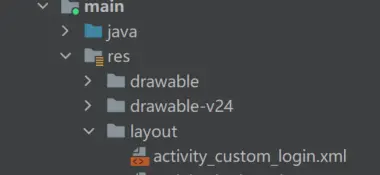
編寫xml佈局創建自己的登錄xml佈局,在res/layout文件下新建activity_custom_login.xml文件,如下圖:
繪製自己的xml佈局文件,可參考如下代碼:
<?xml version="1.0" encoding="utf-8"?>
<LinearLayout xmlns:android="http://schemas.android.com/apk/res/android"
    xmlns:tools="http://schemas.android.com/tools"
    android:layout_width="match_parent"
    android:layout_height="match_parent"
    android:orientation="vertical"
    android:paddingTop="50dp"
    android:paddingRight="10dp"
    tools:context="cn.mob.smssdk.demo.smslogin.ui.login.CustomLoginActivity">

    <LinearLayout
        android:layout_width="match_parent"
        android:layout_height="wrap_content"
        android:orientation="horizontal"
        >
        <TextView
            android:id="@+id/login_phone_textView"
            android:layout_width="0dp"
            android:layout_weight="3"
            android:layout_height="wrap_content"
            android:gravity="right"
            android:padding="10dp"
            android:text="@string/login_phone" />
        <EditText
            android:id="@+id/editTextPhone"
            android:layout_width="0dp"
            android:layout_weight="9"
            android:layout_height="wrap_content"
            android:ems="10"
            android:text="136****6666"
            android:inputType="phone" />
    </LinearLayout>
    <LinearLayout
        android:layout_width="match_parent"
        android:layout_height="wrap_content"
        android:orientation="horizontal"
        >
        <TextView
            android:id="@+id/login_code_textView"
            android:layout_width="0dp"
            android:layout_weight="3"
            android:gravity="center"
            android:layout_height="wrap_content"
            android:padding="10dp"
            android:text="@string/login_code" />

        <EditText
            android:id="@+id/editTextNumber"
            android:layout_width="0dp"
            android:layout_weight="4"
            android:layout_height="wrap_content"
            android:ems="10"
            android:text="123456"
            android:inputType="number" />
        <Button
            android:id="@+id/get_code_id"
            android:layout_width="0dp"
            android:layout_weight="3"
            android:gravity="center"
            android:layout_height="match_parent"
            android:text="@string/get_code"
            >

        </Button>
    </LinearLayout>

    <LinearLayout
        android:layout_width="match_parent"
        android:layout_height="wrap_content"
        android:orientation="vertical"
        android:paddingTop="50dp"
        >
        <Button
            android:id="@+id/login_id"
            android:layout_width="100dp"
            android:layout_height="match_parent"
            android:layout_gravity="center"
            android:text="@string/login"
            />

    </LinearLayout>
</LinearLayout>
編寫代碼在項目中創建登錄CustomLoginActivity類,實現功能代碼如下:
package xx.xx.xx;
import androidx.appcompat.app.AppCompatActivity;import android.annotation.SuppressLint; import android.os.Bundle; import android.os.Handler; import android.os.Message; import android.text.TextUtils; import android.util.Log; import android.view.View; import android.widget.Button; import android.widget.EditText; import android.widget.Toast;import com.mob.MobSDK;import java.util.Timer; import java.util.TimerTask;import cn.smssdk.EventHandler; import cn.smssdk.SMSSDK; import cn.smssdk.demo.R;public class CustomLoginActivity extends AppCompatActivity implements View.OnClickListener {
EventHandler eventHandler;
EditText editTextPhone,editTextNumber;
Button get_code_id,login_id;
Timer timer;
int count = 60;
@SuppressLint("HandlerLeak")
Handler handler = new Handler(){
    public void handleMessage(Message msg) {
        int tag = msg.what;
        switch (tag){
            case 1:
                int arg = msg.arg1;
                if(arg==1){
                    get_code_id.setText("重新獲取");
                    //計時結束停止計時把值恢復
                    count = 60;
                    timer.cancel();
                    get_code_id.setEnabled(true);
                }else{
                    get_code_id.setText(count+"");
                }
                break;
            case 2:
                Toast.makeText(CustomLoginActivity.this,"獲取短信驗證碼成功",Toast.LENGTH_LONG).show();
                break;
            case 3:
                Log.i("Codr","獲取短信驗證碼失敗");
                Toast.makeText(CustomLoginActivity.this,"獲取短信驗證碼失敗",Toast.LENGTH_LONG).show();
                break;
            default:
                break;
        }

    };
};
@Override
protected void onCreate(Bundle savedInstanceState) {
    super.onCreate(savedInstanceState);
    setContentView(R.layout.activity_custom_login);
    MobSDK.submitPolicyGrantResult(true);
    init();
}
private void init(){
    editTextPhone = findViewById(R.id.editTextPhone);
    editTextNumber = findViewById(R.id.editTextNumber);
    get_code_id = findViewById(R.id.get_code_id);
    get_code_id.setOnClickListener(this::onClick);
    login_id = findViewById(R.id.login_id);
    login_id.setOnClickListener(this::onClick);


 eventHandler = new EventHandler() {
        @Override
        public void afterEvent(int event, int result, Object data) {
            // TODO 此處為子線程!不可直接處理UI線程!處理後續操作需傳到主線程中操作!
            if (result == SMSSDK.RESULT_COMPLETE) {
                //成功回調
                if (event == SMSSDK.EVENT_SUBMIT_VERIFICATION_CODE) {
                    //提交短信、語音驗證碼成功
                } else if (event == SMSSDK.EVENT_GET_VERIFICATION_CODE) {
                    Message message = new Message();
                    message.what = 2;
                    handler.sendMessage(message);
                } else if (event == SMSSDK.EVENT_GET_VOICE_VERIFICATION_CODE) {
                    //獲取語音驗證碼成功
                    Message message = new Message();
                    message.what = 2;
                    handler.sendMessage(message);
                }
            } else if (result == SMSSDK.RESULT_ERROR) {
                //失敗回調
                Message message = new Message();
                message.what = 3;
                handler.sendMessage(message);
            } else {
                //其他失敗回調
                ((Throwable) data).printStackTrace();
            }
        }
    };
    SMSSDK.registerEventHandler(eventHandler); //註冊短信回調
}
@Override
public void onClick(View view) {
    String phone = "";
    String code = "";
    int id = view.getId();
    switch (id){
        case R.id.get_code_id:
            phone = editTextPhone.getText().toString().trim();
            if (!TextUtils.isEmpty(phone)){
                //倒計時
                CountdownStart();
                getVerificationCode("86",phone);
            }else{
                Toast.makeText(this,"請輸入手機號碼",Toast.LENGTH_LONG).show();
            }
            break;
        case R.id.login_id:
            phone = editTextPhone.getText().toString().trim();
            code = editTextNumber.getText().toString().trim();
            if (TextUtils.isEmpty(phone)){
                Toast.makeText(this,"請輸入手機號碼",Toast.LENGTH_LONG).show();
            }else if (TextUtils.isEmpty(code)){
                Toast.makeText(this,"請輸入驗證碼",Toast.LENGTH_LONG).show();
            }else{
                //登錄邏輯
            }
            break;
    }
}
/**
 * cn.smssdk.SMSSDK.class
 * 請求文本驗證碼
 * @param country   國家區號
 * @param phone     手機號
 */
public static void getVerificationCode(String country, String phone){
    //獲取短信驗證碼
    SMSSDK.getVerificationCode(country,phone);
}

/**cn.smssdk.SMSSDK.class
 * 請求文本驗證碼(帶模板編號)
 * @param tempCode  模板編號
 * @param country   國家區號
 * @param phone     手機號
 */
public static void getVerificationCode(String tempCode,String country, String phone){
    //獲取短信驗證碼
    SMSSDK.getVerificationCode(tempCode,country,phone);
}

//倒計時函數
private void CountdownStart(){
    get_code_id.setEnabled(false);
    timer = new Timer();
    timer.schedule(new TimerTask() {
        @Override
        public void run() {
            Message message = new Message();
            message.what = 1;
            message.arg1 = count;
            if(count!=0){
                count--;
            }else {
                return;
            }
            handler.sendMessage(message);
        }
    }, 1000,1000);
}

@Override
protected void onDestroy() {
    super.onDestroy();
    // 使用完EventHandler需註銷,否則可能出現內存泄漏
    SMSSDK.unregisterEventHandler(eventHandler);
}

}
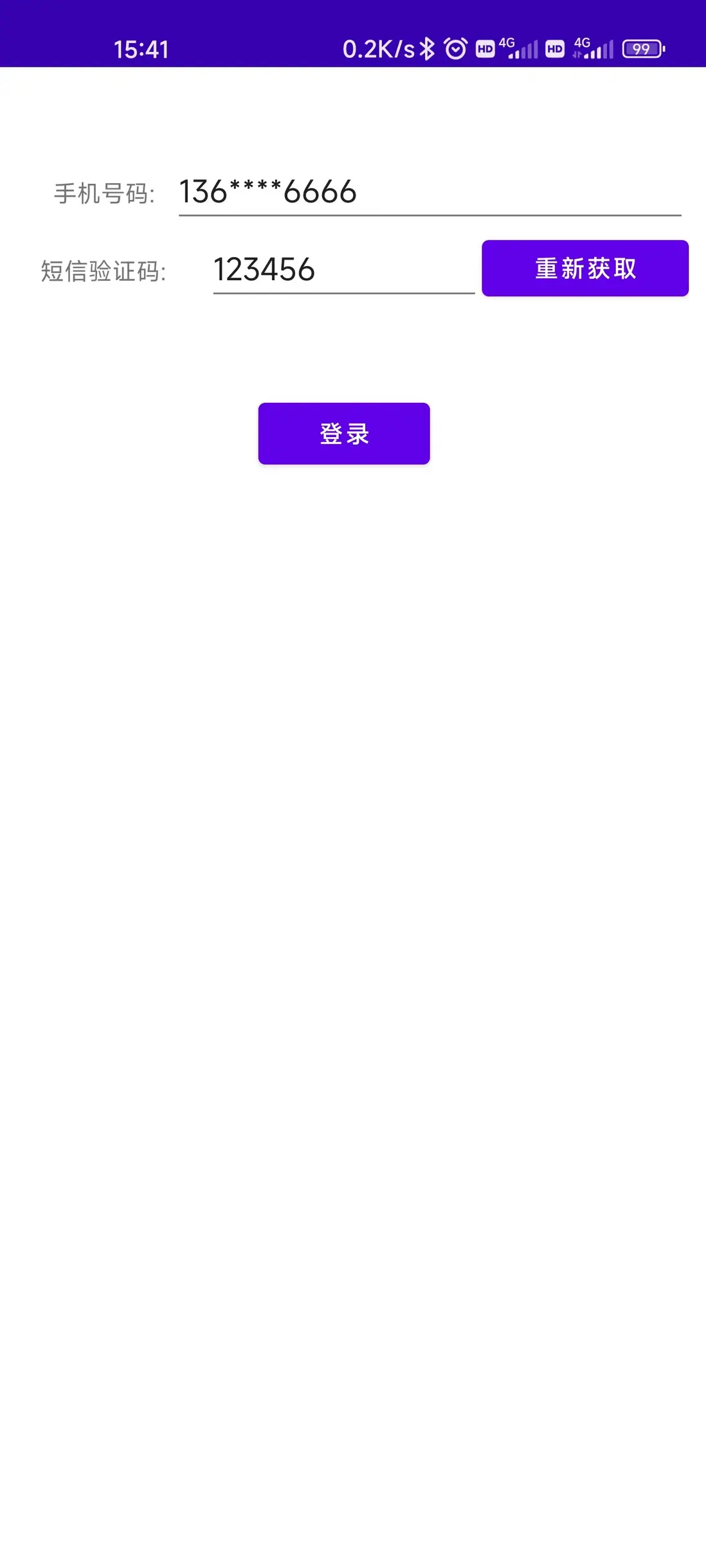
運行效果圖如下: