
前言

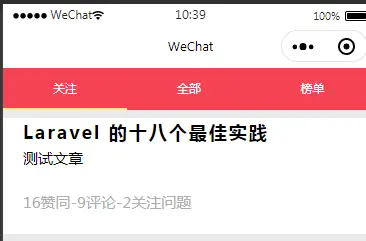
我們都知道mpvue的好處是可以用到很多vue的東西,那麼如何在mpvue中創建這樣的標籤欄組件
子組件
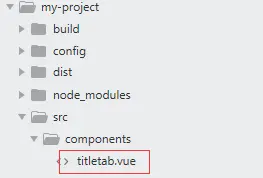
先創建子組件
內容如下
titletab.vue
<template>
  <div class="tabs">
        <ul>
          <li
            v-for="(item, index) in tabs" :key="index"
            :class="activeIndex == index ?'active':''"
            @click="reloadQuestion(index)"
          >{{ item }}</li>
        </ul>
      </div>
</template>

<script>
    export default {
        props: ['tabs','activeIndex'],
        created() {
          console.log(this.tabs)
        },
        methods: {
            //觸發父組件的刷新問題
            reloadQuestion(index) {
               this.$emit("reloadQuestion",index);
            },
        }
    }
</script>

<style>
  .tabs {
    width: 100%;
    background: #f54353;
    font-size: 24rpx;
    height: 80rpx;
  }
  .tabs ul li {
    width: 33%;
    display: inline-block;
    text-align: center;
    line-height: 80rpx;
    color: #fff;
    border-bottom: 4rpx solid #f54353;
  }
  .tabs ul li.active {
    border-bottom: 4rpx solid #f9e98a;
  }
</style>
引用
在我引用的的地方,引入
index.vue
//@reloadQuestion接受子組件傳來的刷新消息
<template>
  <div class="container">
    <titletab :tabs="tabs" :activeIndex="activeIndex" @reloadQuestion="getQuestionList"></titletab>
</template>

<script>
import titletab from "../../components/titletab";
export default {
  data() {
    return {
      tabs: ["關注", "全部", "榜單"],
      activeIndex: 0,
      questionlist: []
    };
  },

  components: {
    titletab
  },

  methods: {
    //刷新問題列表
    async getQuestionList(type = 0) {
      var that = this;
      that.activeIndex = type;
      let res = await this.$post("question", { type: that.activeIndex });
      that.questionlist = res.data;
    },
  },

};
</script>
搞定