

php項目laravel框架或者lumen框架接入sentry,分為以下幾步
1.搭建sentry後台(略)
2.登錄sentry後台,註冊一個新project
3.打開laravel項目
3.1 執行
composer require sentry/sentry-laravel
3.2 在bootstrap/app.php中新增註冊語句:
$app->register(\Sentry\SentryLaravel\SentryLumenServiceProvider::class);
3.3 在app/Exceptions/Handler.php report方法中加入語句:
    {
        if (app()->bound('sentry')
            && $this->shouldReport($e)
        ) {
            app('sentry')->capture~~~~Exception($e);
        }
        parent::report($e);
    }
3.4 在config文件夾中新增sentry.php文件,本例中分了測試環境和線上環境:
<?php

return array(
    'dsn' => env('APP_ENV') == 'production' ?
        'http://f0f07954a09e4544a12345090d37775:17b554b2c0934685923421090f@sentry.xxx.xxx.com/1' :
        'http://57af7291232316fd7c0ea038f1:20b9273bf0fc40adba48b123b8c1231cc@sentry.xxx.xxx.com/1',

    // capture release as git sha
    // 'release' => trim(exec('git log --pretty="%h" -n1 HEAD')),

    // Capture bindings on SQL queries
    'breadcrumbs.sql_bindings' => true,

    // Capture default user context
    'user_context' => false,
);
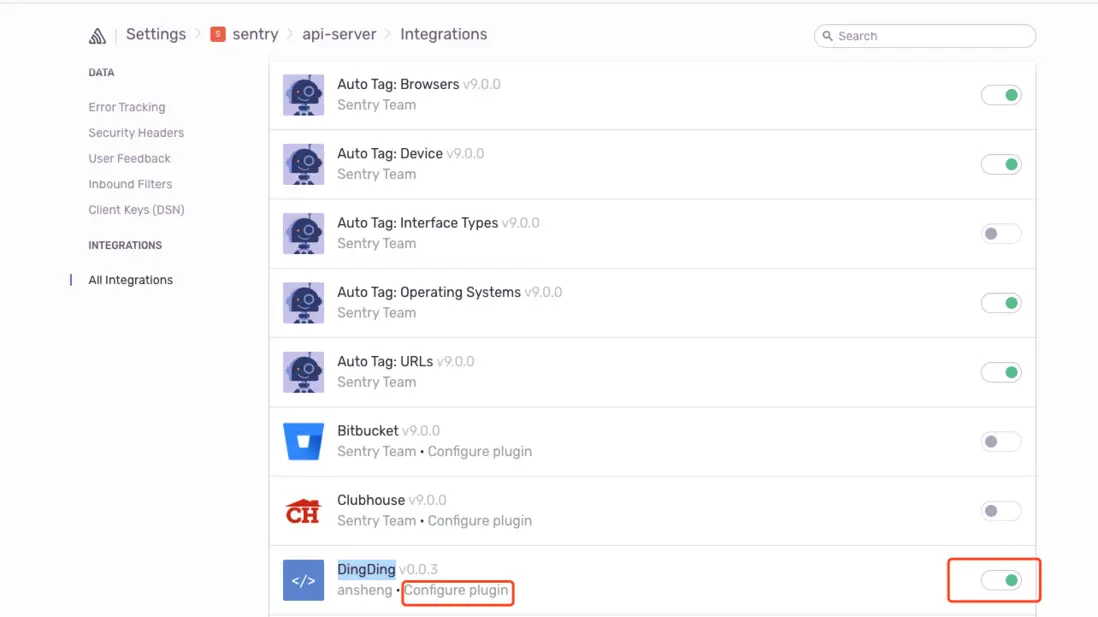
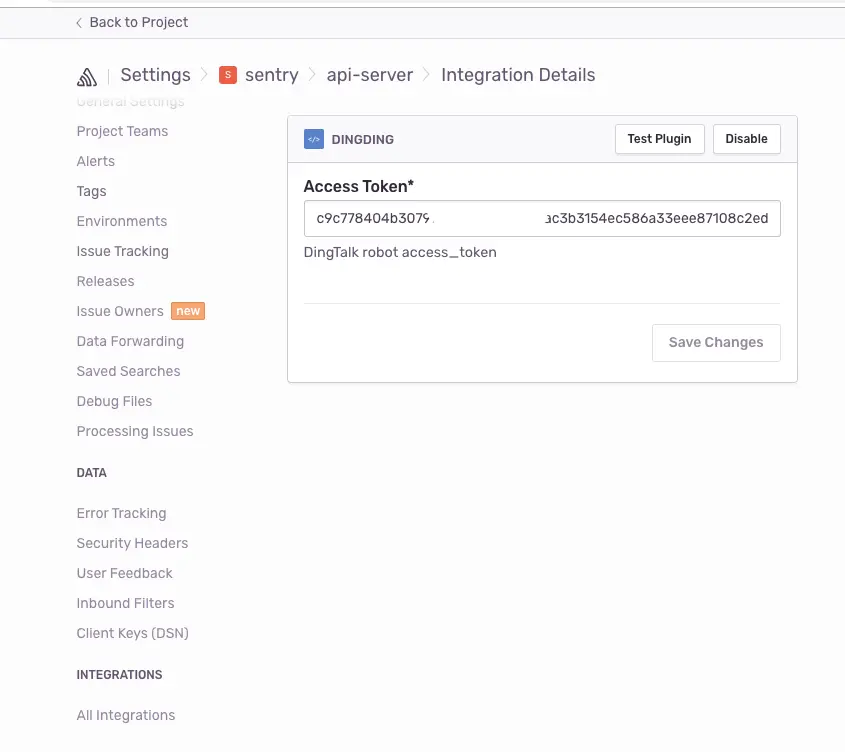
3.5 打開sentry後台,選擇該項目的Settings,開啓釘釘配置,填入釘釘機器人的token,如下圖所示。
3.6 測試
在項目根目錄下執行 php artisan sentry:test
釘釘裏就可以收到報錯信息了
