

前言
證書頒發 本來是第三方機構頒發的,由於需求有所更改,現在由 “我們” 頒發證書這個功能。由於每個人的證書都不一樣,但是格式都一樣,所以我們需要一個模板來動態生成證書。
製作表單&&效果
製作表單的工具:UPDF (收費)
紅色區域是需要填寫的數據。
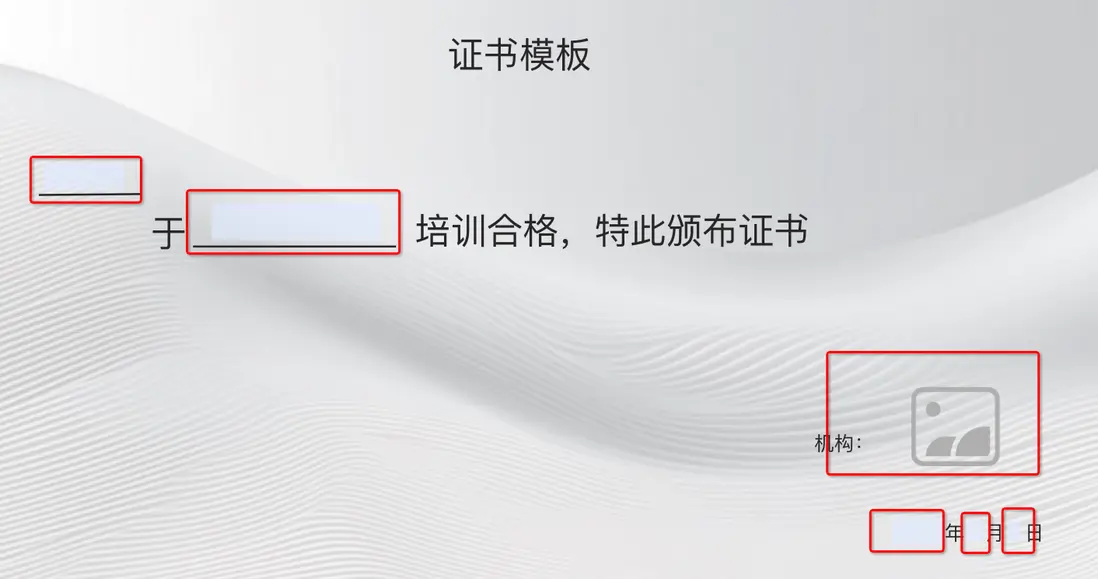
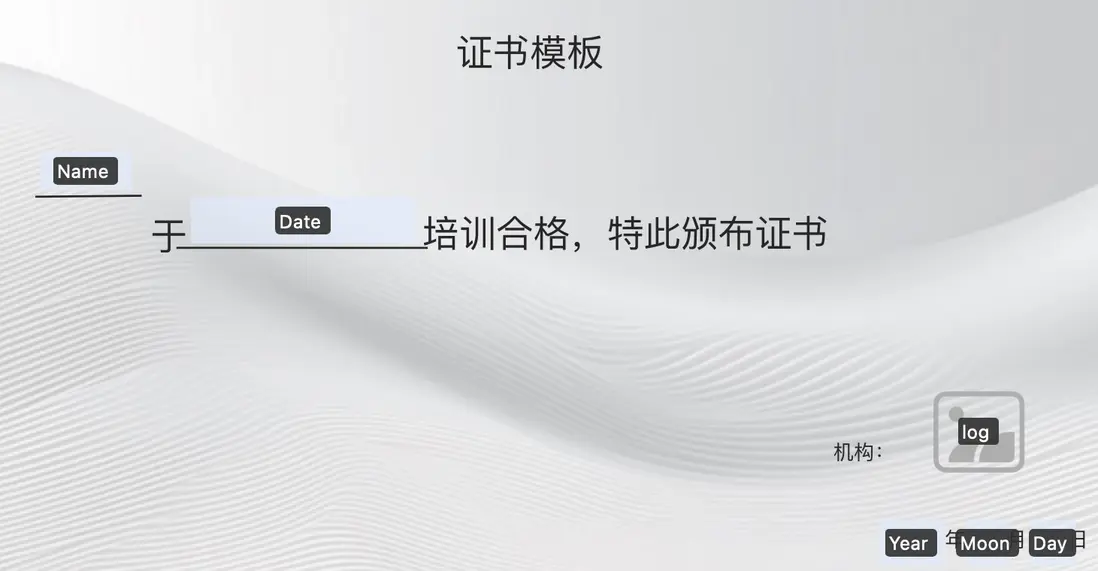
對應的表單如圖下:
表單分別為:Name、Date、log(圖片)、Year、Moor、Day
注意:設置表單的名稱最好是唯一
引入 itext7-core
iText7-core 是一個強大的開源 PDF 開發庫,適用於 Java 和 .NET 平台。它提供了一套豐富的 API,用於創建、修改和處理 PDF 文檔。
依賴
<dependency>
            <groupId>com.itextpdf</groupId>
            <artifactId>itext7-core</artifactId>
            <version>8.0.5</version>
            <type>pom</type>
 </dependency>
Demo
現在模板有了,模板中的表單也設置了,整體流程大致如下:
- 加載模板文件
- 初始化 PDF 文檔
- 設置字體
- 填充表單字段
- 插入圖片
- 固化表單字段
- 保存並關閉文檔
準備
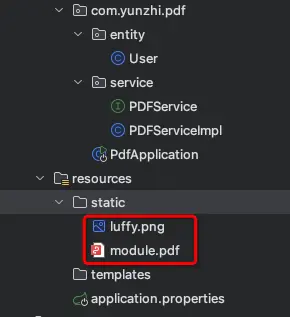
模板和圖片,放在 resource 下的static路徑下:
根據表單設置Map,格式為,“表單的名稱” -> "需要添加的數據"。
user實體只有兩個字段,name、beginTime。
Map<String, String> fieldValues(User user) {
        return Map.of(
                "Name", user.getName(),
                "Date", this.timestampToFormattedDate(user.getBeginTime()),
                "Year", String.valueOf(LocalDate.now().getYear()),
                "Moon", String.valueOf(LocalDate.now().getMonthValue()),
                "Day", String.valueOf(LocalDate.now().getDayOfMonth())
        );
    }

    /**
     * * 將 timestamp 類的時間轉換成 yyyy年MM月dd日
     */
    public String timestampToFormattedDate(Timestamp timestamp) {
        LocalDate localDate = timestamp.toLocalDateTime().toLocalDate();
        return localDate.format(DateTimeFormatter.ofPattern("yyyy年MM月dd日"));
    }
生成PDF
一定要設置字體,不設置字體,中文填寫不進去,默認是Helvetica,不支持中的。

void createPDF(User user) {
        // 定義模板文件路徑和輸出文件路徑
        String templatePath = "static/module.pdf";
        String outputPath = "xxxxx證書.pdf";

        try {
            // 加載 PDF 模板
            ClassPathResource resource = new ClassPathResource(templatePath);
            PdfDocument pdfDoc = new PdfDocument(
                    new PdfReader(resource.getFile().getAbsolutePath()),
                    new PdfWriter(outputPath)
            );

            // 設置字體,支持中文簡體字體
            PdfFont font = PdfFontFactory.createFont("STSongStd-Light", "UniGB-UCS2-H");

            // 填充表單字段
            this.fillFormFields(pdfDoc, font, user);

            // 插入圖片
            this.insertImage(pdfDoc, "static/luffy.png", "log");

            // 固化表單字段
            PdfAcroForm form = PdfAcroForm.getAcroForm(pdfDoc, true);
            form.flattenFields();
            pdfDoc.close();
            logger.info("PDF 創建成功,保存路徑: " + outputPath);
        } catch (Exception e) {
            logger.error("創建 PDF 時發生錯誤", e);
            throw new RuntimeException("創建 PDF 失敗", e);
        }
    }
填充表單字段
// 填充表單字段
    private void fillFormFields(PdfDocument pdfDoc, PdfFont font, User user) {
        PdfAcroForm form = PdfAcroForm.getAcroForm(pdfDoc, true);
        Map<String, String> fieldValues = this.fieldValues(user);

        fieldValues.forEach((fieldName, fieldValue) -> {
            PdfFormField field = form.getField(fieldName);
            if (field != null) {
                field.setFont(font);
                field.setFontSize(16f);
                field.setValue(fieldValue);
            } else {
                logger.warn("未找到名為 '" + fieldName + "' 的字段");
            }
        });
    }
插入圖片
private void insertImage(PdfDocument pdfDoc, String imagePath, String fieldName) {
        try {
            ClassPathResource imageResource = new ClassPathResource(imagePath);
            if (!imageResource.exists()) {
                throw new FileNotFoundException("圖片文件未找到: " + imagePath);
            }

            ImageData imageData = ImageDataFactory.create(imageResource.getFile().getAbsolutePath());
            PdfAcroForm form = PdfAcroForm.getAcroForm(pdfDoc, true);
            PdfFormField imageField = form.getField(fieldName);

            if (imageField == null || imageField.getWidgets().isEmpty()) {
                throw new RuntimeException("未找到圖片字段或字段未綁定頁面: " + fieldName);
            }

            // 獲取當前頁面插入圖片的區域
            Rectangle rect = imageField.getWidgets().get(0).getRectangle().toRectangle();
            PdfPage page = imageField.getWidgets().get(0).getPage();
            int pageNumber = pdfDoc.getPageNumber(page);

            // 在指定位置繪製圖片
            PdfCanvas canvas = new PdfCanvas(pdfDoc.getPage(pageNumber));
            canvas.addImageFittedIntoRectangle(imageData, rect, false);

            logger.info("圖片插入成功: " + imagePath + " -> 字段: " + fieldName);
        } catch (Exception e) {
            logger.error("插入圖片時發生錯誤", e);
            throw new RuntimeException("插入圖片失敗", e);
        }
    }
測試&&效果
@Test
    void createPDF() {
        User user = new User();
        user.setName("張三");
        user.setBeginTime(new Timestamp(System.currentTimeMillis()));
        pdfService.createPDF(user);
    }
總結
代碼實現比較簡單,主要是模板花了點時間,找了好些個比較流行的pdf工具,不是要收費,就要購買,要麼有水印。。。。。。。 改想法,把填寫的地方挖空,把數據插進入,類似於編輯pdf的時候,插入文本框,在裏面填寫數據。編寫發現,需要知道一張pdf的高和寬,以及插入文本框的位置、文本框的大小,折騰了大半天,算了,還是使用回表單填充吧,只能用外掛了(dddd)。