

內容導讀:TorchVision Transforms API 擴展升級,現已支持目標檢測、實例及語義分割以及視頻類任務。新 API 尚處於測試階段,開發者可以試用體驗。
本文首發自微信公眾號:PyTorch 開發者社區
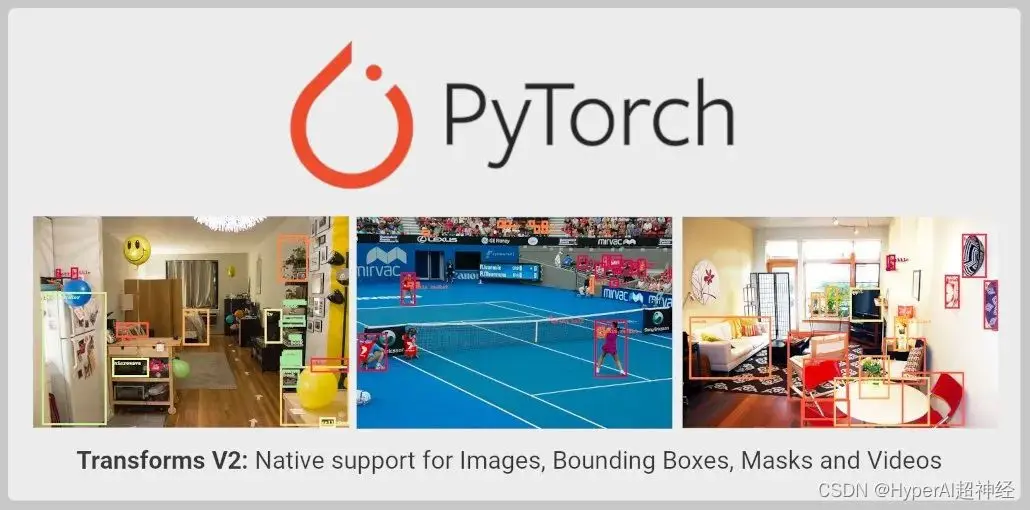
TorchVision 現已針對 Transforms API 進行了擴展, 具體如下:
- 除用於圖像分類外,現在還可以用其進行目標檢測、實例及語義分割以及視頻分類等任務;
- 支持從 TorchVision 直接導入 SoTA 數據增強,如 MixUp、 CutMix、Large Scale Jitter 以及 SimpleCopyPaste。
- 支持使用全新的 functional transforms 轉換視頻、Bounding box 以及分割掩碼 (Segmentation Mask)。
Transforms 當前的侷限性
穩定版 TorchVision Transforms API,也也就是我們常説的 Transforms V1,只支持單個圖像,因此,只適用於分類任務:
from torchvision import transforms
trans = transforms.Compose([
   transforms.ColorJitter(contrast=0.5),
   transforms.RandomRotation(30),
   transforms.CenterCrop(480),
])
imgs = trans(imgs)
上述方法不支持需要使用 Label 的目標檢測、分割或分類 Transforms, 如 MixUp 及 cutMix。這使分類以外的計算機視覺任務都不能用 Transforms API 執行必要的擴展。同時,這也加大了用 TorchVision 原語訓練高精度模型的難度。
為了克服這個侷限性,TorchVision 在其 reference script 中提供了自定義實現, 用於演示所有任務中的增強是如何執行的。
儘管這種做法使得開發者能夠訓練出高精度的分類、目標檢測及分割模型,但做法比較粗糙,TorchVision 二進制文件中還是不能導入 Transforms。
全新的 Transforms API
Transforms V2 API 支持視頻、bounding box、label 以及分割掩碼, 這意味着它為許多計算機視覺任務提供了本地支持。新的解決方案是一種更為直接的替代方案:
from torchvision.prototype import transforms
# Exactly the same interface as V1:
trans = transforms.Compose([
    transforms.ColorJitter(contrast=0.5),
    transforms.RandomRotation(30),
    transforms.CenterCrop(480),
])
imgs, bboxes, labels = trans(imgs, bboxes, labels)
全新的 Transform Class 無需強制執行特定的順序或結構,就可以接收任意數量的輸入:
# Already supported:
trans(imgs)  # Image Classification
trans(videos)  # Video Tasks
trans(imgs_or_videos, labels)  # MixUp/CutMix-style Transforms
trans(imgs, bboxes, labels)  # Object Detection
trans(imgs, bboxes, masks, labels)  # Instance Segmentation
trans(imgs, masks)  # Semantic Segmentation
trans({"image": imgs, "box": bboxes, "tag": labels})  # Arbitrary Structure
# Future support:
trans(imgs, bboxes, labels, keypoints)  # Keypoint Detection
trans(stereo_images, disparities, masks)  # Depth Perception
trans(image1, image2, optical_flows, masks)  # Optical Flow
functional API 已經更新,支持所有輸入必要的 signal processing kernel,如 resizing, cropping, affine transforms, padding 等:
from torchvision.prototype.transforms import functional as F
# High-level dispatcher, accepts any supported input type, fully BC
F.resize(inpt, resize=[224, 224])
# Image tensor kernel
F.resize_image_tensor(img_tensor, resize=[224, 224], antialias=True)
# PIL image kernel
F.resize_image_pil(img_pil, resize=[224, 224], interpolation=BILINEAR)
# Video kernel
F.resize_video(video, resize=[224, 224], antialias=True)
# Mask kernel
F.resize_mask(mask, resize=[224, 224])
# Bounding box kernel
F.resize_bounding_box(bbox, resize=[224, 224], spatial_size=[256, 256])
API 使用 Tensor subclassing 來包裝輸入,附加有用的元數據,並 dispatch 到正確的內核。 利用 TorchData Data Pipe 的 Datasets V2 相關工作完成後,就不再需要手動包裝輸入了。目前,用户可以通過以下方式手動包裝輸入:
from torchvision.prototype import features
imgs = features.Image(images, color_space=ColorSpace.RGB)
vids = features.Video(videos, color_space=ColorSpace.RGB)
masks = features.Mask(target["masks"])
bboxes = features.BoundingBox(target["boxes"], format=BoundingBoxFormat.XYXY, spatial_size=imgs.spatial_size)
labels = features.Label(target["labels"], categories=["dog", "cat"])
除新 API 之外,PyTorch 官方還為 SoTA 研究中用到的一些數據增強提供了重要實現,如 MixUp、 CutMix、Large Scale Jitter、 SimpleCopyPaste、AutoAugmentation 方法以及一些新的 Geometric、Colour 和 Type Conversion transforms。
該 API 繼續支持 single image 或 batched input image 的 PIL 和 Tensor 後端,並在 functional API 上保留了 JIT-scriptability。這使得圖像映射得以從 uint8 延遲到 float, 帶來了性能的進一步提升。
它目前可以在 TorchVision 的原型區域 (prototype area) 中使用,並且支持從 nightly build 版本中導入。經驗證,新 API 與先前實現的準確性一致。
當前的侷限性
functional API (kernel) 仍然保持 JIT-scriptable 及 fully-BC,Transform Class 提供了相同的接口,卻無法使用腳本。
這是因為 Transform Class 使用的是張量子類 (Tensor Subclassing),且接收任意數量的輸入,這是 JIT 所不支持的。該侷限將在後續版本中不斷優化。
一個端到端示
以下是一個新 API 示例,它可以同時使用 PIL 圖像和張量。
測試圖片:
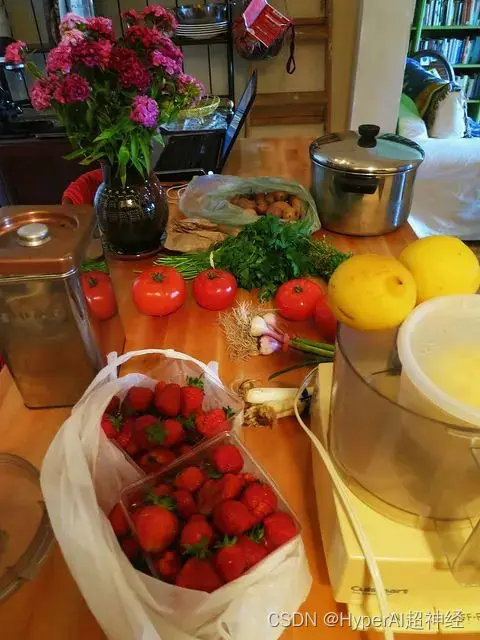
代碼示例:
import PIL
from torchvision import io, utils
from torchvision.prototype import features, transforms as T
from torchvision.prototype.transforms import functional as F
# Defining and wrapping input to appropriate Tensor Subclasses
path = "COCO_val2014_000000418825.jpg"
img = features.Image(io.read_image(path), color_space=features.ColorSpace.RGB)
# img = PIL.Image.open(path)
bboxes = features.BoundingBox(
    [[2, 0, 206, 253], [396, 92, 479, 241], [328, 253, 417, 332],
     [148, 68, 256, 182], [93, 158, 170, 260], [432, 0, 438, 26],
     [422, 0, 480, 25], [419, 39, 424, 52], [448, 37, 456, 62],
     [435, 43, 437, 50], [461, 36, 469, 63], [461, 75, 469, 94],
     [469, 36, 480, 64], [440, 37, 446, 56], [398, 233, 480, 304],
     [452, 39, 463, 63], [424, 38, 429, 50]],
    format=features.BoundingBoxFormat.XYXY,
    spatial_size=F.get_spatial_size(img),
)
labels = features.Label([59, 58, 50, 64, 76, 74, 74, 74, 74, 74, 74, 74, 74, 74, 50, 74, 74])
# Defining and applying Transforms V2
trans = T.Compose(
    [
        T.ColorJitter(contrast=0.5),
        T.RandomRotation(30),
        T.CenterCrop(480),
    ]
)
img, bboxes, labels = trans(img, bboxes, labels)
# Visualizing results
viz = utils.draw_bounding_boxes(F.to_image_tensor(img), boxes=bboxes)
F.to_pil_image(viz).show()
—— 完 ——
